How AI Enhances Multimedia Content Creation
Unleash AI multimedia power! Automate video editing, boost podcast production, and improve content quality. Upgrade your content today!
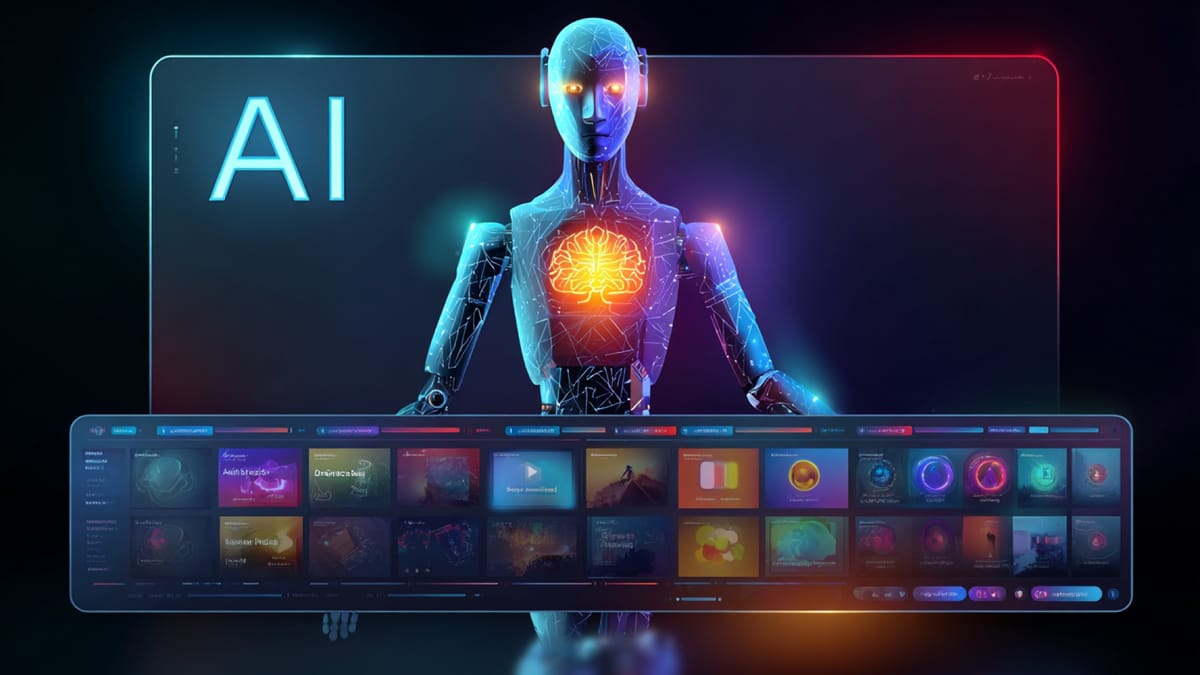
Every creator hits the same roadblock when trying to produce multimedia content.
You’ve got video clips, audio files, graphics, and written notes scattered across tools. You’ve got a concept in mind, maybe a few standout ideas, and a vague plan to “just put it together.” Then you start assembling everything, and an hour later, you realize your story feels disjointed, visuals don’t align with audio, and the pacing is all over the place.
Most creators ask the wrong question. Not “Can AI help me?” but “Do I have to juggle all these tools, or can software handle it?” Manual workflows are slow, and AI experiments can feel scattered.
Here’s what most guides miss: AI multimedia doesn’t replace your creativity—it organizes it. It connects video, audio, graphics, and text into one workflow, automates repetitive tasks, keeps content consistent, and frees you to focus on ideas and storytelling.
This guide shows you how to use AI multimedia tools effectively. Practical workflows, real-world examples, and tips that help creators save time, scale efficiently, and produce polished, engaging content without losing their unique voice.
Key Takeaways
- AI multimedia tools connect video, audio, graphics, and text in a single, streamlined workflow.
- Automation speeds up editing, transcription, formatting, and audio adjustments, saving hours of manual work.
- Teams can scale content, produce multiple versions, and experiment with formats without extra resources.
- Creators maintain control while ensuring consistent visuals, branding, and messaging across platforms.
- Tools like Frameo make multi-format content faster, personalized, and easier to manage for small teams or solo creators.
Why Traditional Multimedia Workflows Can Hold Back Content Creation?
Producing multimedia content using traditional workflows is often slow, costly, and complicated. Juggling video, audio, graphics, and text individually leads to bottlenecks and limits your ability to scale quickly.
Here’s where traditional workflows typically struggle:
- Fragmented Teams and Tools: Separate specialists handle different parts of a project, like video editors, audio engineers, graphic designers, and writers, causing delays and miscommunication. Each handoff increases the risk of inconsistencies.
- Lengthy Production Cycles: Every revision, from color grading to text updates, requires manual work. Even small adjustments can take hours or days, slowing down content release.
- Scaling Limitations: Adapting one idea for multiple platforms traditionally requires creating each format from scratch. Producing videos, social posts, audio, and blogs separately adds cost and time.
- High Operational Costs: Hiring multiple specialists, renting studio space, and managing software licenses increases expenses quickly. Small teams or independent creators often struggle to sustain regular output.
- Limited Flexibility for Rapid Trends: Traditional workflows aren’t built for real-time experimentation. Testing different styles, formats, or messaging often requires restarting projects, making it hard to react to trending topics.
- Difficulty in Maintaining Consistency: With different teams and tools working in isolation, visual style, tone, and branding can easily vary across content, reducing overall cohesion.
- Coordination Bottlenecks: Scheduling team availability, managing approvals, and synchronizing workflows can create bottlenecks, delaying content launch even further.
By contrast, AI multimedia tools integrate video, audio, graphics, and text into a single, connected system. Automation handles repetitive tasks, workflows stay organized, and creators can iterate, adapt, and scale content efficiently while maintaining quality and consistency.
Also Read: AI Video Production Trends.
Difference Between AI Multimedia Tools and Traditional Content Creation Workflows
AI multimedia tools and traditional content creation workflows approach multimedia production in different ways. One focuses on automation, faster production, and scalable output. The other relies on specialized teams and manual processes to create each piece of content.
Here is a clearer comparison across the key factors that shape multimedia production:
Aspect | AI Multimedia Tools | Traditional Content Creation |
Workflow | Automated systems manage tasks across video, audio, and text within one workflow | Separate teams typically handle video, audio, design, and written content individually |
Speed | Production can move from concept to output within hours | Full production often takes several days or weeks depending on complexity |
Cost | Lower costs driven mainly by software tools and automation | Higher costs due to studio time, production teams, and specialized roles |
Iteration | Multiple versions of content can be generated and adjusted quickly | Each change usually requires manual edits and additional production work |
Scalability | Large volumes of multimedia content can be produced across formats | Output is limited by team capacity, time, and available resources |
Creative Control | Structured controls within the platform guide editing and formatting | Specialists maintain full manual control throughout production |
In short, AI multimedia tools focus on speed, scalability, and experimentation, while traditional workflows focus on detailed manual control and specialized expertise. The right choice depends on whether the goal is faster content production or highly customized multimedia output.
10 Ways AI Multimedia Tools Transform Content Creation
Traditional multimedia production often requires separate tools for video editing, audio processing, visual design, and written content. Managing these disconnected workflows can slow production and make it harder for teams to scale their content strategies.
AI multimedia tools address this challenge by bringing automation, structured workflows, and faster production into a single system. Instead of managing each format individually, creators can organize multimedia projects more efficiently while maintaining consistency and quality across outputs.
Below are ten ways AI multimedia tools are transforming modern content creation.
1. Faster Multimedia Content Production
Producing multimedia content traditionally requires moving through several stages such as editing video, adjusting audio, and preparing visuals. AI multimedia tools speed up these stages by automating many production tasks.
- Video edits, transitions, and visual adjustments can be handled automatically.
- Creators can generate multiple versions of the same content for different platforms without rebuilding projects.
For example, a marketing team launching a new product can quickly produce short videos, social media visuals, and supporting blog content from a single campaign idea.
This faster workflow helps creators respond quickly to trends and publishing opportunities.
2. Simplified Audio and Podcast Editing
Audio production usually involves detailed editing to remove noise and balance sound levels. AI multimedia tools simplify these processes by automatically handling many adjustments.
- Background noise reduction and volume balancing can happen during editing.
- Long recordings can be automatically converted into shorter highlight clips for sharing.
For instance, a podcast creator can record a full episode and quickly generate short promotional clips for social platforms without manually editing each segment. This approach saves time while maintaining clear and consistent audio quality.
3. AI-Assisted Content Writing
Written content plays a key role in multimedia strategies by supporting videos, podcasts, and digital campaigns. AI multimedia tools help creators draft and refine written material more efficiently.
- Articles, scripts, and captions can be structured and refined quickly.
- Messaging can be adjusted to improve clarity and readability.
For example, a creator producing a tutorial video can generate a blog article and social media captions that support the same topic, ensuring consistency across platforms. This helps maintain a steady and reliable publishing schedule.
4. Interactive Multimedia Experiences
Interactive content encourages audiences to engage more actively with digital media. AI multimedia tools make it easier to build experiences that respond to user interactions.
- Quizzes, surveys, and interactive modules can adjust based on responses.
- Content flows can change depending on how users interact with the material.
For example, an educational platform can present follow-up questions or additional content based on a learner’s previous answers. This adaptive approach keeps audiences engaged and encourages deeper participation.
5. Cross-Platform Content Repurposing
Creating separate content for every platform can be time-consuming. AI multimedia tools help creators reuse one idea across multiple formats more efficiently.
- A single concept can be expanded into video clips, blog posts, and audio segments.
- Content can be automatically formatted for different publishing channels.
For example, a webinar recording can be converted into short videos, article summaries, and audio snippets that reach audiences across multiple platforms. This approach helps maximize the value of each piece of content.
6. Faster Experimentation and Testing
Testing different creative approaches is essential for improving content performance. AI multimedia tools allow creators to quickly experiment with variations.
- Different versions of visuals, pacing, or messaging can be generated easily.
- Creators can compare results to see which version performs better.
For example, a social media campaign might test two different video openings to determine which version holds viewer attention longer. This process helps creators refine their content strategies based on real performance insights.
7. Automated Localization
Reaching global audiences often requires adapting content for different languages and regions. AI multimedia tools simplify this process significantly.
- Content can be transcribed and translated quickly.
- Multimedia content can be adapted for different languages and markets.
For instance, a training video created in English can be translated into several languages while keeping visuals and structure consistent. This makes it easier to expand audience reach without recreating content from scratch.
8. Consistent Visual Branding
Maintaining a consistent brand identity across multimedia content can be difficult when multiple tools and formats are involved. AI multimedia systems help ensure visual consistency.
- Brand colors, typography, and visual styles can be applied automatically.
- Templates help maintain uniform design across campaigns.
For example, a company producing multiple promotional videos can ensure that every piece of content follows the same visual guidelines. Consistent design strengthens brand recognition and audience familiarity.
9. Personalized Audience Experiences
Different audiences respond to different types of content. AI multimedia tools help creators adapt content based on audience behavior.
- Content length, format, or messaging can be adjusted based on engagement patterns.
- Creators can refine their approach using audience insights.
For instance, shorter video formats may perform better for mobile viewers, while longer tutorials may work well for educational platforms. Personalized content improves engagement and overall audience satisfaction.
10. Scalable Content Production
Producing large volumes of multimedia content traditionally requires bigger teams and higher budgets. AI multimedia tools make it easier to scale production efficiently.
- Smaller teams can produce consistent multimedia content across platforms.
- Content workflows become easier to manage and repeat.
For example, a marketing team can create multiple campaign assets including videos, graphics, and articles from a single concept without expanding the production team. This scalability allows organizations to maintain consistent output while managing resources effectively.
Also read: Top Sora Video AI Alternatives You Can Try in 2026
The Role of Human Creativity in AI Multimedia
As AI multimedia tools become more common in content creation, they are changing how multimedia projects are produced and managed. While intelligent systems can handle many production tasks, the creative direction, storytelling, and emotional impact of content still depend on human input.
When used thoughtfully, AI multimedia tools support creators by improving efficiency while leaving space for creative control. This balance helps teams produce multimedia content faster without losing originality or narrative depth.
Key ways this balance works in multimedia creation include:
- Faster Content Development: Production tasks can move quickly when technology helps organize scenes, visuals, and media elements in a structured workflow while creators focus on shaping the overall story.
- Reduced Manual Work: Routine steps in multimedia production can be simplified, such as arranging media assets or adjusting basic visual elements, allowing creators to spend more time refining ideas.
- Support for Creative Exploration: Tools can suggest layout changes, visual combinations, or pacing adjustments during editing, helping creators experiment with different ways to present their content.
- Human Control Over Storytelling: Creators still guide the narrative structure, emotional tone, and audience experience by deciding how visuals, sound, and pacing come together.
The most effective AI multimedia content creation combines technological efficiency with human creativity. This approach allows creators to produce content more efficiently while maintaining strong storytelling and meaningful audience engagement.
How Frameo Improves AI Multimedia Content Creation?
Creating multimedia content with AI can be fast, but when different tools are used for scripting, visuals, audio, and publishing, the process can become fragmented. Frameo improves AI multimedia workflows by bringing scripting, visuals, audio, and publishing into one connected system.
Here’s how Frameo helps simplify AI multimedia content creation:
- Script-to-Media Connection: Frameo connects scripts directly to multimedia scenes. This reduces back-and-forth between writing, design, and editing, and lets creators review visuals, pacing, and messaging in one place.
- Easy Scene Editing: Each scene stays organized in one system. Instead of moving files between different tools, creators can update and adjust content within the same workflow.
- Audio and Visual Sync: Voiceovers and visuals are managed together. This helps avoid delays between audio and editing and makes timing adjustments easier.
- Simple Team Collaboration: Teams can review, edit, and approve content in one workspace. This keeps feedback organized and helps reduce long revision cycles.
- Ready-to-Publish Output: Once the content is finished, it can be exported in formats ready for different platforms without extra formatting steps.
By connecting scripting, visuals, audio, and publishing, Frameo makes AI multimedia creation more organized, efficient, and easier to manage.
Conclusion
AI multimedia platforms are redefining content creation by making multimedia production faster, more efficient, and easier to scale than traditional workflows. What once required significant time for editing, asset creation, and formatting can now be completed much more quickly through AI-assisted tools.
Choosing the right approach depends on your goals. Large, complex multimedia projects may still require traditional production teams. But for ongoing digital content, quick experiments, and multi-platform distribution, AI tools offer a clear efficiency advantage. Here's where Frameo comes in.
Creators who adopt early gain speed, flexibility, and the ability to experiment more often. If you want to create structured multimedia content without lengthy production timelines, start using Frameo today and turn your ideas into finished content faster.
FAQs
1. Will AI replace content creators?
Not at all. AI handles repetitive tasks like editing, transcription, and formatting, so creators can focus on storytelling, ideas, and audience connection. It’s a tool that amplifies human creativity, not a replacement.
2. Can AI manage all types of content?
Yes. AI multimedia tools work across video, audio, text, and interactive formats, helping you produce polished content for every channel without juggling multiple platforms or teams.
3. How much faster is AI-powered content creation?
Significantly faster. What used to take days or weeks of editing, transcribing, or adapting content can now be done in hours, letting you publish consistently and stay ahead of trends.
4. Can AI personalize content for different audiences?
Absolutely. AI analyzes audience behavior and preferences, adjusting visuals, messaging, and formats so your content resonates with every segment without extra manual work.
5. Are AI multimedia tools practical for small teams?
Definitely. Even lean teams can produce high-quality, multi-format content at scale. AI reduces the need for large staff or costly software, letting small teams act like full-scale content departments.