Create Long AI Films with Continuous Shots
Master continuous shots with AI! Use AI filmmaking tools like HoloCine for stable, seamless scenes. Start your cinematic journey now!
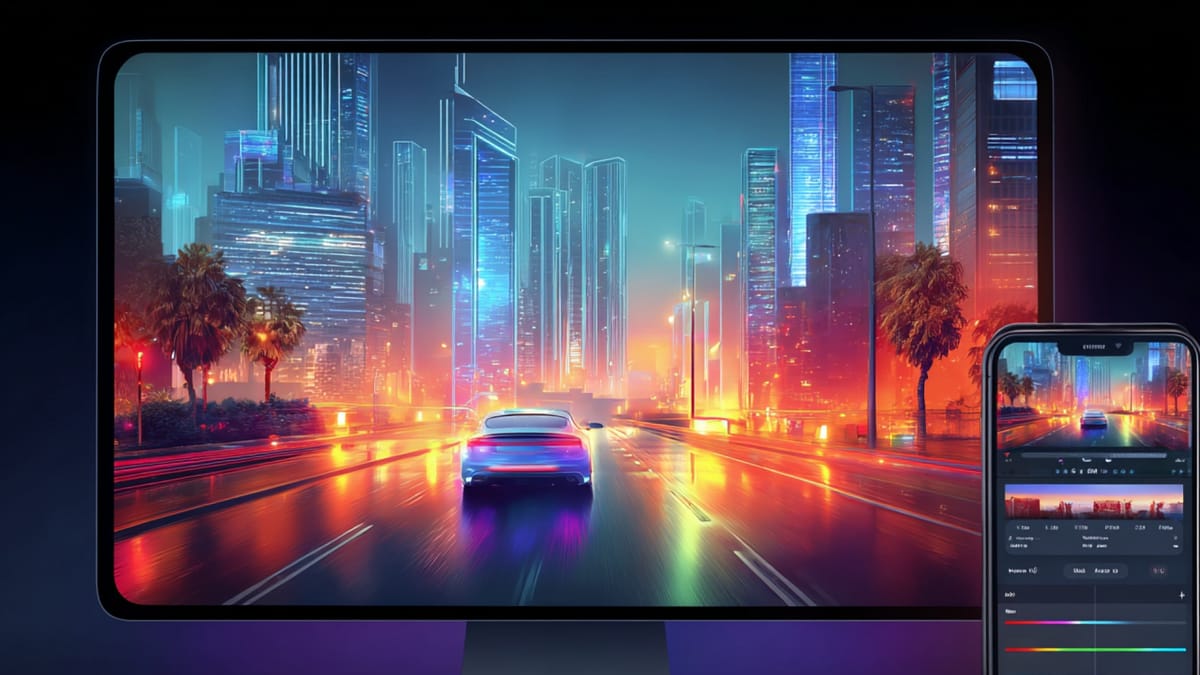
AI can generate long cinematic sequences with impressive detail. A prompt goes in, the camera starts moving, and within moments you have what looks like a continuous shot unfolding on screen. It feels like creating a long take is now easier, without multiple retakes or complex setups.
Then the sequence continues. The lighting shifts slightly. Background elements start to move out of place. The camera flow feels a bit off. What began as a smooth shot slowly starts to feel like separate clips stitched together.
Instead of one uninterrupted scene, the sense of continuity begins to break.
This is one of the biggest challenges when using an AI filmmaking tool for long, continuous shots. Generating longer visuals is easy, but keeping every moment connected is much harder.
Creating long AI films with continuous shots needs a more structured approach. The sequence must be planned as a connected flow where camera movement, environment, and actions stay consistent from start to end.
This guide walks you through a structured, practical approach to crafting long AI films, step by step, while maintaining seamless storytelling and professional results.
Key Takeaways
- AI tools can help maintain continuity across long scenes, reducing errors and reshoots.
- Planning each scene and transition in advance ensures smooth narrative flow.
- Techniques like sparse attention and hybrid AI-traditional methods enable cinematic quality.
- Character and environment consistency is critical for immersion in long-form videos.
- With structured workflows, even complex AI films can be produced efficiently.
What Is an AI Filmmaking Tool?
An AI filmmaking tool is a video creation system that helps you plan, create, and improve videos using automation. Instead of doing everything manually, it supports scene creation, maintains visual consistency, and speeds up the entire process.
Think of it as a system that turns your ideas into videos while handling the technical details in the background.
These tools are typically used to:
- Scripts or simple prompts can be converted into structured video sequences with minimal effort.
- Visual consistency across characters, environments, and tone is maintained throughout the project.
- Repetitive manual editing tasks are reduced, saving both time and effort.
- Multiple creative directions can be tested quickly without restarting the entire workflow.
Unlike traditional editing software, which focuses on manual control, AI filmmaking tools are built for simplified, end-to-end video creation, making them ideal for faster production cycles.
Top Features to Look for in an AI Filmmaking Tool for Continuous Shots
When working with long, uninterrupted sequences, the capabilities of your tool become critical. Not every AI solution is equipped to handle continuity at scale.
Here are the essential features to consider:
- Scenes should connect smoothly so the video flows without noticeable cuts or breaks.
- Lighting, colors, and framing need to stay consistent throughout the entire sequence.
- Characters must appear the same across scenes, with no changes in appearance or movement style.
- Camera movement should feel natural, allowing smooth tracking or transitions between spaces.
- Changes in environment should happen gradually, avoiding sudden or unnatural shifts.
- Long sequences must be handled without drops in quality or misalignment over time.
- A good tool should also allow AI-generated visuals and real footage to blend seamlessly.
Choosing the right features ensures that your video feels smooth, connected, and visually stable.
How Does an AI Filmmaking Tool Support Long Continuous Shots?
An AI filmmaking tool that supports long continuous shots is a structured system designed to help creators build extended video sequences without relying entirely on repeated live-action takes. Instead of treating each shot as a separate unit, it enables the creation of connected scenes that flow naturally as one uninterrupted sequence.
Think of this tool as the control layer behind long-shot filmmaking. It manages how scenes connect, how characters remain consistent, and how environments evolve without breaking visual continuity. A single tracking shot moving from a quiet indoor setting to a busy street can maintain lighting shifts, background movement, and character positioning without visible disruption.
Rather than leaving execution to manual adjustments, these tools define and manage the key elements required for continuous storytelling:
- Structured Scene Flow: Scenes are arranged so the narrative progresses smoothly without cuts, such as a camera following a character through multiple spaces while the story unfolds in real time.
- Visual Consistency: Lighting, color, and composition remain stable across the sequence, allowing a transition from day to evening lighting to feel gradual and natural rather than abrupt.
- Character Continuity: Characters retain the same appearance, proportions, and movement patterns, ensuring that a person moving across locations looks identical in every frame.
- Efficient Sequence Handling: AI systems manage long-duration scenes by focusing on key visual elements, allowing extended shots to run without breaking alignment or quality.
- Hybrid Integration: AI-generated environments and live-action footage work together, where a real actor moves through a digitally created background with matching shadows and reflections.
AI filmmaking tools can support everything from short experimental clips to longer cinematic sequences. Regardless of scale, they act as a central system that keeps long continuous shots controlled, connected, and visually stable.
Why Long Continuous Shots Matter in AI Filmmaking
Modern audiences are quick to notice breaks in flow, whether it is a shift in lighting, a change in character appearance, or a sudden cut that disrupts the experience. Long continuous shots reduce these interruptions and make storytelling feel more direct and immersive.
In AI filmmaking, this becomes even more important because generated scenes can lose consistency over time if not controlled properly. Continuous shot workflows ensure that every part of the sequence remains aligned as the scene progresses. A camera moving through a crowded market can maintain the same tone, crowd density, and motion patterns from start to end, keeping the experience believable.
Here’s why they matter:
- Smooth Story Flow: Events unfold without interruption, allowing the viewer to stay focused as the narrative progresses naturally from one moment to the next.
- Stronger Immersion: Continuous visuals create a sense of presence, where the audience feels like they are moving within the scene rather than watching separate clips.
- Reduced Production Friction: Small visual issues can be adjusted within the sequence, such as correcting lighting or motion without restarting the entire shot.
- Scalable Creation: The same approach works across formats, from short social videos to longer cinematic sequences, without changing the core workflow.
- Consistent Visual Quality: Lighting, color tones, and camera movement remain aligned, so a long shot maintains the same visual identity throughout.
When long continuous shots are structured and executed with consistency, AI-generated content begins to feel less like a collection of scenes and more like a complete, connected visual experience.
Also Read: Best AI Video Generation Models of 2026
How to Create Long AI Films with Continuous Shots in 9 Steps
In a traditional edit, mistakes can be hidden between cuts. In a continuous shot, every frame depends on what came before it. If the system loses track of space, lighting, or character state even once, the break becomes visible.
This is why the process is not about making longer clips, but about maintaining control across time. Each step below solves a specific continuity problem that appears in long AI-generated shots.
Step 1: Design the Shot as a Connected Timeline
When using an AI filmmaking tool that supports long, continuous shots, the sequence should be planned as a connected timeline rather than as isolated scenes. Every action needs to lead into the next, so the flow feels natural instead of staged.
- The scene should have a clear progression where each moment connects logically to the next.
- Camera movement must be planned in advance so it does not feel random or reactive.
- Timing between actions needs to be tight because there are no cuts to remove delays.
Example: A character walks into a street, pauses to interact with someone, and then continues forward, with each action flowing naturally into the next without interruption.
Step 2: Maintain State Across the Entire Sequence
A long shot will break if the system treats each frame as a new generation instead of a continuation. The scene must carry forward its state at all times.
- Character details should remain fixed so appearance does not change mid-shot.
- Objects and background elements must stay in place as the camera moves.
- Lighting should evolve gradually instead of resetting between frames.
Example: A character wearing a jacket continues through the scene with the same texture, color, and fit, even as lighting conditions change.
Step 3: Treat the Environment as a Full Space
In continuous shots, the environment cannot be limited to what is visible in one frame. The entire space must exist and behave consistently.
- The scene should extend beyond the camera’s current view so movement feels natural.
- Objects must remain in the same position when the camera returns to them.
- Background activity should follow a timeline instead of repeating randomly.
Example: A person walking in the background continues moving forward naturally instead of resetting position when the camera shifts.
Step 4: Keep Character Identity Structurally Stable
Character consistency is not just about appearance but about maintaining identity across time and movement.
- Facial structure and body proportions must remain stable across all frames.
- Movement patterns should stay consistent so actions feel continuous.
- Position changes must reflect actual motion rather than sudden jumps.
Example: A character turning their head maintains the same facial features and proportions from every angle without distortion.
Step 5: Focus Attention on What Drives the Scene
In long sequences, not every element can be treated with equal importance. The system must prioritize what matters most.
- The main subject should remain highly consistent throughout the sequence.
- Secondary elements can adjust slightly as long as they do not break logic.
- Background details should support the scene without distracting from it.
Example: The main character remains visually stable while distant crowd movement adjusts naturally as the camera progresses.
Step 6: Keep Physical Logic Consistent Across Elements
A scene feels real only when all elements follow the same physical rules. Any mismatch becomes noticeable in a long shot.
- Light direction must stay consistent across all objects and characters.
- Shadows should move in alignment with the same light source.
- Motion should reflect realistic speed and weight.
Example: As a light source shifts, shadows of all objects move together instead of behaving independently.
Step 7: Pre-Define Movement and Interaction Paths
In a continuous shot, interactions cannot be random because timing and positioning must align precisely.
- Character movement paths should be defined before generation begins.
- Camera movement must stay coordinated with subject actions.
- Interaction points should occur at specific moments in the sequence.
Example: A character reaches a table at the exact moment the camera arrives, making the interaction feel planned and natural.
Step 8: Use Camera Movement to Maintain Flow
The camera plays an active role in holding the sequence together. It guides how the viewer experiences the scene.
- Movement should remain smooth to avoid breaking immersion.
- Framing should shift naturally to highlight important moments.
- Transitions between perspectives must feel continuous.
Example: The camera slowly moves from a close-up conversation to a wider scene, revealing more context without any visible cut.
Step 9: Reduce Unnecessary Variation in Output
Too much variation across frames creates instability in long sequences. Controlled output leads to better continuity.
- Lighting should stay within a consistent range across the shot.
- Color tones should not shift abruptly between frames.
- Movement patterns should remain steady over time.
Example: An evening scene maintains the same warm tone throughout instead of shifting between different lighting styles.
Step 10: Evaluate the Entire Sequence as One Unit
A continuous shot must work as a whole, not as separate parts. Even small inconsistencies become noticeable over time.
- The full sequence should be reviewed from start to end without interruption.
- Transitions must feel invisible across the entire timeline.
- The final output should feel like one complete experience.
Example: A long tracking shot plays smoothly from beginning to end without any visible breaks in lighting, motion, or composition.
When each of these steps is handled with control and clarity, the result is not just a longer video. It becomes a single, continuous experience where every element stays connected from start to finish.
Also Read: Future of Content Creation: 2026 Trends & Predictions
7 Common Challenges in Creating Long Continuous AI Shots (And How to Solve Them)
The real difficulty lies in maintaining consistency across time. Even small breaks in lighting, character appearance, or motion can disrupt the entire sequence and make the shot feel artificial.
Compared to traditional filmmaking, where cuts can hide mistakes, continuous AI shots require every frame to stay connected. This introduces a different set of challenges that need to be handled carefully.
Below are some of the most common issues creators face and how they can be managed effectively.
1. Visual Drift Over Time
AI-generated scenes can slowly lose consistency as the sequence progresses. Colors may shift, textures may change, or environments may start to look slightly different.
This can be controlled by maintaining fixed prompts, stable scene definitions, and consistent visual references throughout the sequence. A scene that starts with warm evening lighting should gradually evolve, not suddenly reset or shift tone.
2. Character Inconsistency
Characters may change subtly across frames, such as differences in facial structure, clothing details, or proportions. In a long shot, these small changes become very noticeable.
Using pre-defined character models and reference-based generation helps maintain identity. A character walking across multiple spaces should look identical in posture, clothing, and facial features from start to end.
3. Broken Spatial Continuity
In long shots, the environment must behave like a real space. If objects shift position or background elements reset, the illusion breaks immediately.
This can be avoided by treating the environment as a full 360-degree space instead of generating only what is visible in each frame. When the camera returns to a previous angle, everything should remain exactly where it was.
4. Unnatural Camera Movement
AI-generated camera motion can sometimes feel unstable or disconnected from the scene. Sudden shifts or inconsistent speed can break immersion.
Planning camera paths in advance helps maintain smooth motion. A tracking shot should move at a steady pace, with framing adjustments that feel intentional rather than reactive.
5. Overloaded Scene Complexity
Long sequences with too many moving elements can overwhelm the system, leading to instability or inconsistent outputs.
Focusing on key subjects while keeping background activity controlled helps maintain clarity. A crowded street scene should still prioritize the main character while keeping background motion believable but not chaotic.
6. Lighting and Physics Mismatch
Lighting changes that do not match object movement or scene progression can make the shot feel unrealistic. Shadows moving in different directions or inconsistent reflections are common issues.
Ensuring a single, consistent light source and physical logic across the scene keeps everything aligned. When lighting shifts, all elements in the frame should respond in the same way.
7. Difficulty in Scaling Longer Sequences
As the duration increases, maintaining continuity becomes harder. What works for a short clip may break in a multi-minute sequence.
Breaking the sequence into controlled segments while maintaining shared state and continuity rules helps scale longer shots without losing consistency.
Instead of feeling like stitched visuals, they begin to function as a single, continuous cinematic experience.
Create Long AI Films with Continuous Shots Using Frameo
Building long continuous shots becomes difficult when scenes are generated separately and stitched together later. Small breaks in lighting, character appearance, or camera movement can disrupt the entire flow.
A structured AI filmmaking tool like Frameo brings everything together in one connected workflow, making it easier to maintain continuity from start to finish.
- Script to Continuous Shot Generation: Convert a full script into a connected sequence where scenes flow into each other, allowing the camera to move through spaces without visible cuts while maintaining narrative clarity, such as AI Script Writer and AI Storyboarder.
- AI Scene Planning and Flow Control: Plan how each moment connects visually so camera movement, timing, and transitions remain aligned throughout the sequence using Script to Video Maker, or Story to Video Maker.
- Environment and Lighting Consistency: Maintain stable lighting, background elements, and spatial layout across long shots, even as the camera shifts between angles or locations.
- Character Continuity Across Frames: Ensure characters retain the same face, body structure, and styling as they move through different parts of a continuous sequence.
- Camera Motion Simulation: Generate smooth tracking, panning, and wide-angle movements so the shot feels like a single uninterrupted take rather than stitched clips.
- Long Sequence Optimization: Use AI systems that focus on key elements, allowing extended scenes to run longer without losing clarity or visual quality.
- Hybrid Scene Integration: Combine real footage with AI-generated visuals, where a live subject moves through a digitally extended environment with matching light and motion.
- Unified Editing and Refinement: Adjust pacing, lighting, and tone within the same workflow so the entire sequence feels consistent instead of edited in fragments.
- Multi-Format Output from One Sequence: Adapt long continuous shots into short clips, vertical videos, or extended formats without rebuilding the entire scene.
Platforms like Frameo show how AI filmmaking tools are changing from simple generators into complete storytelling systems that support long continuous shots with better control, consistency, and flow.
Wrapping Up
Creating long AI films with continuous shots requires more than generating extended visuals without cuts. Thoughtful planning, stable scene design, and a clear narrative flow help maintain seamless continuity across every moment of the sequence. When these elements come together, AI-generated shots begin to feel immersive, controlled, and cinematic rather than fragmented or inconsistent.
As AI filmmaking continues to advance, creators now have better control over scene transitions, camera movement, and visual consistency. Frameo is built for narrative-driven workflows and simplifies the process by bringing scripting, scene generation, and refinement into one structured system. This makes it easier to produce long, continuous sequences without relying on complex traditional production setups.
Explore how Frameo helps creators turn scripts into long, continuous cinematic sequences with consistent visuals, smooth transitions, and complete storytelling control.
FAQs
1. How long can AI-generated continuous shots be?
AI-generated continuous shots can range from a few seconds to several minutes, depending on the tool and system capabilities. Many creators build longer sequences by extending or connecting shorter generated segments while maintaining visual continuity.
2. Do you still need editing for long AI continuous shots?
Yes, editing is usually required. Even if the shot appears seamless, creators refine pacing, add sound, adjust transitions, and ensure the final output feels smooth and engaging.
3. Can AI maintain character consistency in long shots?
Advanced AI tools are designed to keep characters consistent across frames by preserving facial features, clothing, and movement patterns. However, minor variations can still occur and may need correction.
4. What kind of scenes work best for continuous AI filmmaking?
Scenes with controlled environments, gradual camera movement, and clear subject focus work best. Complex action-heavy sequences can be more difficult to maintain consistently over long durations.
5. Is it possible to create cinematic camera movement with AI?
Yes, many AI filmmaking tools can simulate camera movements such as pans, zooms, and tracking shots. These movements help create the illusion of a professionally filmed continuous scene.
6. Do continuous AI shots reduce production time?
They can reduce certain production steps like manual shooting, but they require careful planning and iteration. The overall time depends on how complex the sequence is.
7. Can you convert scripts into long continuous AI scenes?
Yes, some AI tools allow you to transform scripts into structured visual sequences. By planning scenes carefully, you can generate a continuous narrative that follows the script closely.
8. Are long continuous AI shots suitable for professional projects?
Yes, they are increasingly being used in marketing, storytelling, and experimental films. With the right planning and refinement, they can produce high-quality, visually engaging results.