Best Freepik Alternatives To Try In 2026
Explore the best Freepik alternatives for 2026. Compare free and paid tools for images, design, and visual creation, plus when tools like Frameo fit in.

If you're searching for a Freepik alternative, it usually means something has stopped working. Designs feel overused, access feels restricted, or flexibility no longer matches how fast you create content.
You're not alone. As social video, ads, and creator-first content continue to grow at 4x as per IAB’s 2025 Creator Economy Ad Spend & Strategy Report, designers, marketers, and small teams are rethinking how they source and produce visuals. Stock libraries still play a role, but they are no longer enough on their own.
That's why many creators now mix traditional asset platforms with newer creation tools. Some still rely on vectors and icons, while others preview ideas visually, turn text into short videos, or test concepts before publishing.
Tools like Frameo support this shift by helping you move from idea to visual output faster. This guide explores the best Freepik alternatives in 2026 and how to choose the right fit for your workflow.
Key Takeaways
- Many creators now need more than static stock assets.
- The best Freepik alternatives fall into three categories: stock libraries, design tools, and AI creation platforms.
- Some tools replace Freepik directly; others complement it.
- Video-first and prompt-based tools are becoming part of modern creative workflows.
- Frameo fits when you want to turn ideas or scripts into visual previews instead of browsing static assets.
What Is Freepik Used For?
Freepik is commonly used as a source of royalty-free images, illustrations, icons, and design assets for everyday marketing and branding needs. You can use these assets as part of website layouts, blog visuals, presentations, or landing pages, as long as they're incorporated into a broader design.
It's also widely used for promotional materials such as social media posts, posters, flyers, business cards, and basic video graphics. For many teams, Freepik works well when static visuals are enough and speed matters more than originality.
However, as content shifts toward motion, short-form video, and rapid publishing, these traditional use cases often mark the point where creators begin looking for more flexible alternatives.
Why Look Beyond Freepik?
Freepik built its reputation as a go-to source for vectors, icons, PSDs, and stock illustrations. But creative needs diversify, and so do expectations from asset platforms.
Common reasons creators explore alternatives of Freepik include:
- Needing clearer commercial licensing without attribution confusion.
- Wanting better vectors, mockups, or print-ready assets.
- Producing high volumes of social or video content.
- Avoiding repetitive template styles.
- Reducing dependency on a single subscription.
As creative workflows become faster and more visual, asset libraries that integrate smoothly into those workflows stand out. That's why "Freepik alternative" searches now include everything from stock libraries to AI video generators.
What Makes a Good Freepik Alternative in 2026?
Before comparing tools, it helps to define what actually matters now.
A strong Freepik alternative should help you:
- Create or adapt visuals quickly.
- Avoid overused stock designs.
- Support modern formats like vertical video.
- Reduce manual editing or design overhead.
- Scale output without scaling effort.
Not every tool does all of this. That's why understanding categories matters.
Types of Freepik Alternatives You'll See
Freepik alternatives usually fall into four broad groups:
- Stock Asset Libraries: These replace Freepik directly with vectors, photos, icons, or illustrations.
- Design-First Platforms: These focus on layouts, templates, and quick design assembly.
- AI Image and Illustration Tools: These generate visuals from prompts rather than libraries.
- AI Video and Visual Preview Tools: These turn ideas, scripts, or text into short visual outputs, often for social media or ads.
Frameo belongs to the fourth category, not as a Freepik clone, but as a tool used when browsing assets is no longer the fastest path.
Quick Comparison Snapshot of Freepik Alternatives
The table below gives a quick snapshot of how popular alternatives of Freepik compare on pricing, access models, and what they're best suited for.
|
Platform |
Free / Paid |
Pricing (Approx.) |
What It Offers |
|
Frameo (creative video + visual extension) |
Free Trial + Paid |
(Varies on plan) |
Text-to-video, storyboard builder, animated AI visuals,
faceless video generation, etc. |
|
Envato Elements |
Paid |
Unlimited downloads: $16.50/month |
Unlimited royalty-free images, videos, templates, audio,
and graphics. |
|
Vecteezy |
Free + Paid |
Pro: varies |
Vectors and images with attribution-optional licensing. |
|
Shutterstock |
Paid |
Subscriptions: $29/month for 10 images (annual) |
Massive library of royalty-free images, vectors, and
videos. |
|
Canva |
Free + Paid |
Pro: $12.99-$15/month |
Design platform with templates, photos, graphics + basic
royalty-free assets. |
|
Unsplash |
Free (with option upgrade) |
$20/month |
High-quality royalty-free images with an optional premium
collection. |
|
Pexels |
Free |
Nil |
Free stock photos and videos are suitable for basic
content projects. |
Disclaimer: Pricing and plan details are based on publicly available information at the time of writing and may vary by region, usage limits, or plan tier. Always check the official website for the most current pricing and licensing terms before committing.
Also Read: 8 Best Veed.io Alternatives That Stand Out in 2026
Top 10 Freepik Alternatives to Try in 2026
Below are 10 strong alternatives of Freepik, each serving a different creative need. None is grouped or clubbed; each stands on its own.
1. Frameo
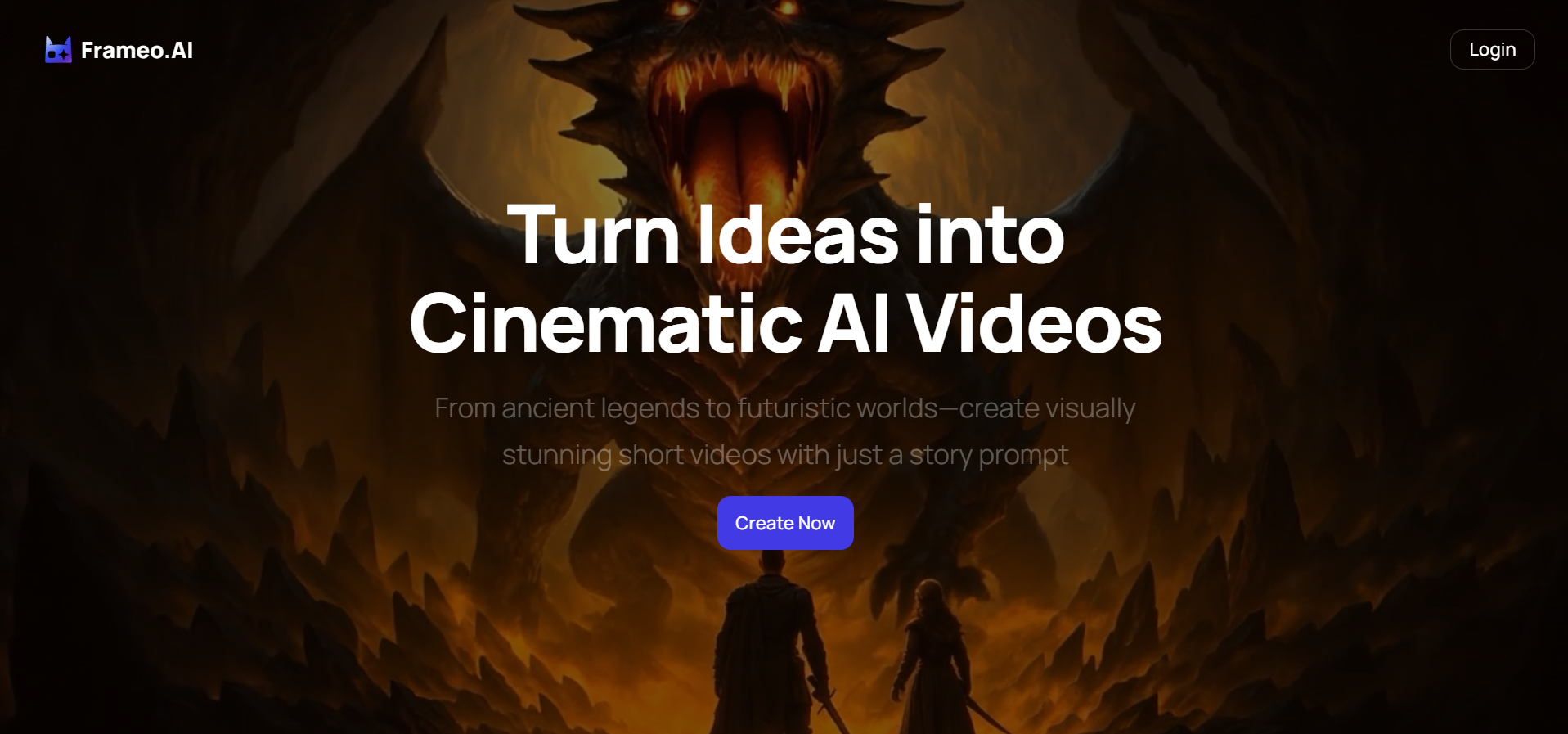
A creation-first alternative for when static assets are not enough. Instead of browsing libraries, Frameo helps you turn text, prompts, or scripts into short visual previews.
Key Features
- AI storyboard creation for scene planning.
- Prompt-based text-to-video previews.
- Faceless video creation for narration-led content.
- Voice and dubbing previews to test pacing.
- Vertical, mobile-first (9:16) output for social platforms.
- No design or editing skills required.
Best for: Creators, freelancers, and SMBs who want to validate ideas visually before publishing or running ads.
Limitation: It is not a stock asset library. It replaces browsing with creation.
2. Envato Elements
Envato Elements is an all-in-one creative subscription offering stock images, videos, vectors, templates, fonts, and more under a single license. It's designed for creators who want breadth without managing multiple platforms.
Key Features
- Unlimited downloads across asset categories.
- Simple commercial license for most use cases.
- Stock video, audio, and motion graphics included.
- Popular templates for social and video projects.
Best For: Creators producing frequent content across formats who want predictable pricing.
Pros
- Substantial value for high-volume creators.
- One subscription covers many needs.
- Consistent licensing terms.
Cons
- No permanent ownership if subscription ends.
- Asset quality varies by category.
3. Vecteezy
Vecteezy focuses on vector graphics and illustrations, offering both free and paid options with clearly defined licenses.
Key Features
- Vector-first asset library.
- SVG, EPS, and AI file support.
- Free assets with attribution options.
- Premium commercial licensing.
Best For: Designers and creators who rely heavily on vectors and illustrations.
Pros
- Clean, modern vector styles.
- Transparent licensing tiers.
- Useful for print and digital design.
Cons
- Limited non-vector content.
- Smaller library than larger platforms.
4. Shutterstock
Shutterstock is one of the largest stock asset platforms, serving enterprises, agencies, and large teams.
Key Features
- Massive stock photo and video library.
- Editorial and commercial content.
- Advanced search and filtering.
- Enterprise licensing options.
Best For: Agencies and businesses needing scale and variety.
Pros
- Comprehensive asset coverage
- Reliable quality control
- Scales well for teams
Cons
- Higher cost than most alternatives
- Credit-based pricing can add up
5. Canva
Canva combines a design editor with a large asset library, focusing on speed and accessibility.
Key Features
- Drag-and-drop design editor.
- Prebuilt templates for social and ads.
- Stock photos, icons, and videos.
- Brand kits and collaboration.
Best For: Marketers and creators who need quick visuals without design complexity.
Pros
- Extremely easy to use
- Great for non-designers
- Fast output for social content
Cons
- Limited customization for advanced users
- Designs can feel template-driven
6. Unsplash
Unsplash offers free, high-resolution photography contributed by creators worldwide.
Key Features
- Free commercial-use photos.
- High visual quality.
- Simple licensing.
- Large photography community.
Best For: Creators needing free, professional-looking photography.
Pros
- Completely free
- Excellent for backgrounds and mood images
- No attribution required
Cons
- Photos only
- Limited niche content
7. Pexels
Pexels provides free stock photos and videos optimized for social and digital content.
Key Features
- Free photos and videos
- Simple commercial licensing
- Vertical video options
- Easy discovery
Best For: Social creators and small teams working on tight budgets.
Pros
- No cost
- Useful for social and short-form video
- Quick downloads
Cons
- Smaller library
- Limited advanced filtering
8. Pixabay
Pixabay offers a mix of photos, vectors, illustrations, and videos under a free license.
Key Features
- Broad asset types
- Simple licensing
- No attribution required
- Community-driven uploads
Best For: Beginners and quick visual needs.
Pros
- Easy to use
- Good starter resource
- Free commercial use
Cons
- Inconsistent quality
- Limited premium-style assets
9. Vexels
Vexels focuses on vectors, merch-ready designs, and print-friendly assets.
Key Features
- Editable vector designs
- Merch and apparel focus
- Customizable templates
- Commercial usage options
Best For: Merch sellers and print designers.
Pros
- Strong for print and merch
- Clean vector styles
- Useful for branding
Cons
- Less useful for video
- Smaller photo library
10. Adobe Stock
Adobe Stock integrates directly with Creative Cloud, making it seamless for designers already using Adobe tools.
Key Features
- Direct access within Photoshop and Illustrator
- High-quality photos, vectors, and videos
- Professional-grade content
- Licensing tied to the Adobe ecosystem
Best For: Professional designers working inside Adobe tools.
Pros
- Smooth workflow for Adobe users
- Consistent quality
- Strong vector library
Cons
- Expensive outside bundles
- Less appealing for non-Adobe users
After reviewing the top Freepik alternatives for 2026, one thing becomes clear: no single platform replaces Freepik in every situation. Each tool solves a different problem, depending on whether you need raw assets, faster creation, or visual validation.
That's why the next step is choosing the right alternative based on how you actually work, not just on features alone. Here's how to decide what fits your workflow best.
Also Read: 5 Best AI Video Creators for Instagram Reels: 2026 Guide
How to Choose the Right Freepik Alternative
Before switching tools, be clear about what you actually need in your workflow.
|
Questions to Ask |
What It Helps You Decide |
|
Do you need raw assets or finished visuals? |
Stock libraries provide images and vectors, while creation
tools deliver ready-to-publish visuals. |
|
Are you designing or validating ideas? |
Design tools support final layouts; preview tools help
test concepts, hooks, and structure early. |
|
Is speed more important than polish? |
Faster tools suit rapid content cycles, while polished
tools fit final-brand outputs. |
|
Are you producing static images or video? |
Image-first platforms differ from tools built for
short-form or motion content. |
|
Do you want control or automation? |
Manual tools offer flexibility; automated tools reduce
effort through prompts and templates. |
|
Do licensing terms fit your use case? |
Check licensing details such as attribution requirements,
rights for commercial and client use, redistribution permissions, and how
AI-generated content licenses apply to ensure compliance. |
Note: Many creators now combine tools: stock libraries for assets and creation platforms like Frameo for testing and publishing visuals.
Once you're clear on what you actually need from a Freepik alternative, the next step is understanding where traditional asset libraries stop adding value and where creation tools begin to fill the gap.
Also Read: How to Write a Script: Step-by-Step for AI, Shorts, and Film
Where Freepik Ends and Frameo Fits
Freepik and similar asset libraries work best when you already know precisely what visual you need, such as a specific illustration, icon, or royalty-free image to place into a finished design.
Frameo fits a different stage of the creative process, especially when ideas are still taking shape:
- Testing hooks for ads or social videos: You can quickly turn a headline or opening line into a short visual preview to see if it grabs attention before spending time or budget.
- Seeing how a script plays visually: Instead of imagining pacing on paper, you can preview how words, visuals, and timing work together in an actual sequence.
- Creating short-form video quickly: Frameo helps you move from text or prompts to vertical video (9:16) without editing timelines or design tools.
- Producing faceless content: When you don't want to appear on camera, scripts, visuals, text, and voice carry the message, making structure and pacing even more critical.
- Customizable visual elements: You can control layout, text placement, pacing, and emphasis so each scene supports your message instead of forcing it into a fixed template.
- Image Animation Engine: Static images can be animated with motion and transitions through the AI Cartoon Generator, helping you turn still assets into short, dynamic scenes for quick visual testing.
- Testing dialog through voice and dubbing: You can hear how lines sound when spoken, test pacing, and spot awkward phrasing or timing issues before recording or localization.
- Testing reel or meme - style formats: You can preview how short, shareable visuals land, helping you assess timing, tone, and clarity before publishing to social feeds.
- Validating pacing before production: A quick visual pass reveals whether scenes feel rushed, slow, or repetitive before committing to a full edit.
This workflow is beneficial when creating TikTok AI videos, Instagram AI video reels, and YouTube AI video previews, where attention is decided in seconds, and clarity matters more than polish. Generate a text-to-video image now with Frameo.
Conclusion
Looking for a Freepik alternative is no longer just about finding another stock library. It's about choosing tools that match how content is created today.
Static assets still have their place. But as video, short-form, and rapid publishing continue to grow, creators need faster ways to turn ideas into visuals.
That's where tools like Frameo stand out, not by replacing Freepik, but by solving a different problem entirely.
If you want to move from idea to visual output without digging through libraries, try Frameo and preview your content through a visual storyboard before you publish. Start generating videos from your prompt now.
FAQs
1. What is the best Freepik alternative?
The best Freepik alternative depends on your goal. For stock assets, platforms like Adobe Stock or Envato work well. For creation and previews, tools like Frameo offer a different approach.
2. Are there free Freepik alternatives?
Yes. Unsplash and Pexels offer free photos, while Vecteezy and Icons8 have limited free assets.
3. Is Frameo a Freepik replacement?
No. Frameo is not a stock library. It's a creation tool used when you want to turn ideas or scripts into visual previews.
4. Can I use multiple Freepik alternatives together?
Yes. Many creators use a mix of asset libraries and AI creation tools depending on the project.
5. Which Freepik alternative is best for video?
Frameo is designed for short-form, vertical, and preview-based video creation, especially for social platforms.



