Seedance 2.0 Review for AI Cinema: Features, Quality & Verdict
Seedance 2.0 review for AI cinema covering video quality, creative control, generation speed, features, real use cases, and a clear verdict for filmmakers.
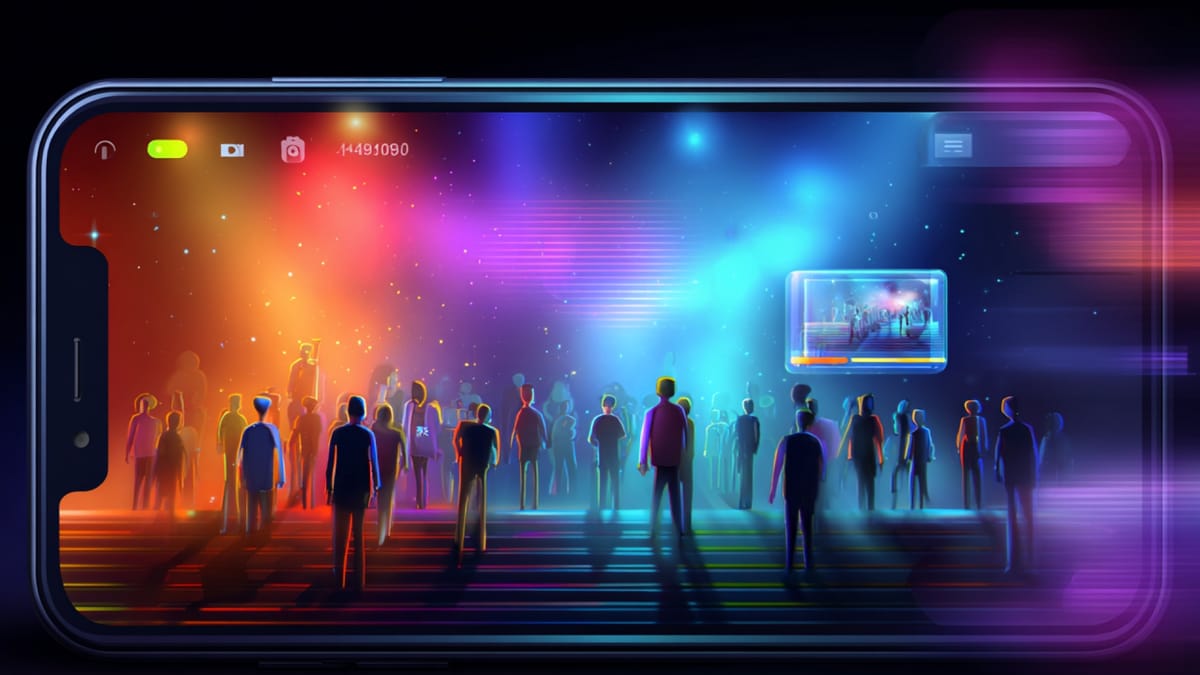
A great film idea rarely starts with a camera. It usually begins with a simple thought, an interesting scene, a character in a situation, or a visual moment that feels powerful enough to build a story around. For many creators exploring AI filmmaking today, the exciting part is imagining how easily those ideas could turn into videos without needing an entire production crew.
But once the experiment begins, the process can quickly feel less magical than expected. The visuals might look impressive at first, yet the scenes often behave unpredictably, characters shift slightly, motion feels unnatural, or the sequence doesn’t flow like a real film. For creators trying to push AI tools beyond quick clips and into cinematic storytelling, these small inconsistencies can make a big difference.
That’s why Seedance 2.0 has started gaining attention among AI creators and filmmakers looking for more cinematic control. The model claims to focus on things that matter for cinematic generation, better motion realism, multi-shot scene generation, and more control over how a video unfolds. In this Seedance 2.0 review for AI cinema, we’ll explore what it actually delivers in practice, looking closely at its features, video quality, creative control, generation speed, and whether it can genuinely support AI-driven filmmaking.
Key Takeaways
- Seedance 2.0 introduces multimodal AI video generation, allowing creators to combine prompts, images, audio, and references to produce short cinematic clips.
- The review analyzes Seedance 2.0’s filmmaking capabilities, examining motion realism, lighting quality, character consistency, and overall visual clarity for AI cinema.
- While the model enables rapid experimentation and concept visualization, limitations remain in narrative continuity, scene control, and building longer story-driven videos.
- For creators exploring AI cinema, Seedance 2.0 works best for visual experimentation, while structured storytelling still requires dedicated narrative-focused workflows.
What Is Seedance 2.0?
Seedance 2.0 is an AI video generation model developed by ByteDance, designed to create videos from different types of inputs such as text prompts, images, and reference clips. The idea behind the model is to make video generation more flexible by allowing creators to combine multiple inputs while generating cinematic-looking outputs.
Before exploring how well it works for filmmaking, it helps to understand what the system is actually built to do.
- AI Video Generation Model:
- Seedance 2.0 is designed to generate short video clips using prompts or reference inputs.
- The model focuses on producing visually appealing outputs that resemble cinematic footage.
- Multimodal Input System:
- Users can provide different input formats such as text prompts, images, audio, or reference videos.
- These inputs guide the AI in shaping the visual style, motion, and scene composition.
- Multi-Shot Video Creation:
- Unlike earlier AI models that mainly generated isolated clips, Seedance attempts to produce sequences with multiple shots.
- This allows creators to experiment with basic scene transitions within a generated video.
- Reference-Driven Generation:
- Creators can upload reference images or clips to influence the appearance of characters, environments, or visual style.
- This helps guide the output instead of relying entirely on random prompt interpretation.
- Audio and Visual Synchronization:
- The model can generate audio elements such as dialogue or background sound alongside visuals.
- Some outputs also attempt to synchronize lip movements with generated speech.
At its core, Seedance 2.0 is built to push AI video generation beyond single experimental clips and toward more structured sequences.
Key Features of Seedance 2.0 for AI Filmmaking
Seedance 2.0 introduces several capabilities aimed at making AI-generated videos look more cinematic and structured. While many AI video tools focus on quick clip generation, Seedance attempts to expand toward features that creators experimenting with storytelling may find useful.
Below are some of the key features that define how the model works for AI filmmaking experiments.
- Multi-Shot Video Generation: Seedance attempts to generate sequences that include multiple connected shots, allowing creators to experiment with short scene progressions rather than isolated clips.
- Reference-Based Visual Control: Users can upload images or reference clips that guide the visual style, characters, or environments in the generated video.
- Multimodal Prompting: The system accepts different input types such as text prompts, images, audio, and reference videos to influence how the final output is generated.
- Cinematic Camera Motion Interpretation: Seedance tries to interpret instructions related to camera movement such as pans, zooms, or tracking shots within the generated video.
- Audio and Lip-Sync Capabilities: The model can generate dialogue, background sounds, and attempt basic lip synchronization between characters and spoken audio.
- Style and Scene Consistency Attempts: Seedance works to maintain consistent lighting, visual style, and environmental elements across shots within a generated sequence.
Understanding these features is useful, but what ultimately matters for creators is how the final output actually looks and behaves on screen.
Suggested read: Seedance 1.5 Pro vs Veo 3.1: Detailed Comparison Guide
Video Quality and Realism Analysis
For filmmakers and creators, features alone don’t determine whether an AI video tool is useful. What ultimately matters is how realistic the final video looks and whether the scenes behave naturally enough to support storytelling.
To understand this better, it helps to look closely at the different aspects of visual quality that Seedance 2.0 attempts to deliver.
1.Motion Realism in Generated Scenes
One of the noticeable improvements in newer AI video models is smoother motion compared to earlier experimental systems. Seedance 2.0 attempts to simulate natural movement in elements like walking characters, environmental motion, and camera shifts. While some results look convincing, complex movements can still appear slightly artificial in certain scenes.
2.Lighting and Environmental Detail
Lighting plays a huge role in making AI-generated visuals feel believable. Seedance often produces scenes with dynamic lighting effects such as reflections, shadows, and soft ambient light. In many outputs, this helps create a cinematic look, although consistency can sometimes vary across different shots.
3.Character Consistency Across Shots
Maintaining the same character appearance across multiple shots remains a major challenge in AI filmmaking. Seedance 2.0 tries to keep characters visually consistent when references are provided. However, subtle changes in facial features, clothing, or proportions may still appear between scenes.
4.Output Resolution and Visual Clarity
The overall sharpness and clarity of generated videos are another important factor for creators. Seedance can produce visually detailed clips with relatively high resolution compared to earlier AI video tools. However, the quality may still depend heavily on the prompt structure and reference inputs used during generation.
These quality aspects help determine whether Seedance 2.0 works well for experimental filmmaking or if creators might still need additional tools to refine their storytelling workflow.
Suggested read: Best AI Video Generation Models of 2026
How Much Creative Control Does Seedance 2.0 Offer?

For filmmakers and creators, generating a video is only half the story. What really matters is how much control you have over scenes, characters, and camera behavior while shaping the final output.
Seedance 2.0 introduces a few mechanisms that attempt to give creators more direction during video generation.
1.Prompt-Based Scene Direction
Most of the control in Seedance starts with the text prompt. Creators describe the scene, mood, and action, and the model tries to interpret it visually.
- Describe scene details in the prompt
- Mention camera style or mood
- Guide the action happening in the scene
Example:
A prompt like “a detective walking through a rainy, neon-lit street, slow cinematic camera pan” may influence the lighting style and motion in the generated clip.
2.Reference Inputs for Visual Guidance
Seedance allows users to upload reference images or videos to influence the output. This helps steer the AI toward a particular visual style or character appearance.
- Use image references for character looks
- Provide environment references for scene style
- Guide the aesthetic of the generated video
Example: Uploading an image of a futuristic city can help maintain a similar environmental style across the generated shots.
3.Camera Motion Instructions
The model attempts to interpret cinematic instructions written in prompts. Creators can suggest certain camera movements while describing the scene.Common prompt directions include:
- camera pan
- slow zoom
- tracking shot
- wide cinematic frame
Example: A prompt mentioning “slow zoom into the character’s face” may result in a gradual camera movement toward the subject.
4.Limitations of Prompt-Level Control
While these controls can influence the output, they still depend heavily on how the AI interprets the prompt. The final result may vary between generations, especially when scenes become complex.
Creators often need to run multiple generations to achieve the desired shot or visual style.
Suggested read: AI Film Production Workflow: A Practical Pipeline for Short-Form Video
How Fast Is Seedance 2.0 Video Generation?
Speed plays a surprisingly big role when creators experiment with AI filmmaking. The faster a model generates videos, the easier it becomes to test ideas, adjust prompts, and explore different visual directions without waiting too long.
Seedance 2.0 focuses heavily on fast generation, allowing creators to iterate on scenes relatively quickly.
1.Typical Generation Time
One of the noticeable aspects of Seedance 2.0 is its relatively quick video rendering compared to earlier AI models. Instead of waiting several minutes for a single clip, creators can often generate results much faster.
- Short clips may render within a few seconds
- Iterations can be tested rapidly
- Multiple prompt variations can be explored
2.Faster Creative Experimentation
Quick generation speed makes experimentation much easier for creators. Instead of committing to one prompt, users can adjust scene details and regenerate until the visuals feel closer to the intended idea.
- Test multiple visual styles
- Experiment with camera angles
- Refine scene descriptions quickly
Example: A filmmaker experimenting with a sci-fi scene might try variations like “foggy neon street,” “sunset skyline,” or “rainy cyberpunk alley” to explore different atmospheres.
3.Workflow for Quick Iteration
The speed advantage also affects how creators structure their workflow. Instead of planning everything perfectly before generation, they can generate rough drafts first and refine them step by step.
- Start with a basic prompt
- Review the generated clip
- refine prompts for better results
- regenerate improved versions
Fast generation helps speed up experimentation, but practical use also depends on how creators apply the tool in real storytelling scenarios.
Suggested read: AI in Video Post-Production for Marketing Agencies
How Seedance 2.0 Is Being Used in Creative and Marketing Work?
As AI video generation becomes more accessible, creators and marketing teams are beginning to experiment with tools like Seedance 2.0 in different types of projects. While the outputs are often short clips, they can still be useful for exploring visual ideas and early-stage content production.
Below are some of the ways creators are currently using the model.
- Concept Trailers for Story Ideas: Creators generate short cinematic clips to visualize story concepts, helping them pitch ideas for films, series, or experimental AI projects.
- Marketing Visual Experiments: Brands sometimes generate short promotional visuals to test different campaign themes before investing in full-scale video production.
- Product Visualizations: Some marketing teams use AI-generated clips to showcase products in stylized environments such as futuristic cityscapes or dramatic studio lighting.
- Social Media Content Creation: Creators experiment with AI-generated clips for short-form platforms like TikTok, Instagram Reels, or YouTube Shorts, where visually striking scenes can quickly capture attention.
- Mood Boards for Creative Projects: Filmmakers and designers sometimes generate AI video clips to explore visual styles, lighting moods, or environmental aesthetics for upcoming productions.
- Experimental AI Storytelling: Independent creators use AI-generated scenes to test new storytelling formats where traditional production resources may not be available.
These examples show how tools like Seedance 2.0 are currently being explored across different creative workflows, especially for experimentation and visual concept development.
Pros and Limitations of Seedance 2.0 for AI Video
When exploring any AI video tool, it’s important to look beyond individual features and evaluate what actually works well in practice. Seedance 2.0 introduces several capabilities that make experimentation with AI-generated video easier for creators.
At the same time, understanding both strengths and limitations helps filmmakers decide how the tool fits into their creative workflow.
Pros of Seedance 2.0
- Fast Video Generation: Clips can often be generated quickly, allowing creators to experiment with multiple prompts and scene variations without long waiting times.
- Multimodal Inputs: The ability to combine text prompts, images, and reference materials provides more ways to guide how a video is generated.
- Cinematic Visual Style: Many outputs feature dramatic lighting, dynamic environments, and camera movements that resemble cinematic footage.
- Reference-Based Generation: Uploading reference visuals helps influence scene style and characters, which can make results more predictable than purely prompt-driven generation.
- Good for Visual Concept Testing: The tool works well for experimenting with creative ideas, mood exploration, and quick visual storytelling concepts.
Cons of Seedance 2.0
- Limited Narrative Control: While prompts influence the output, creators still have limited control over precise scene composition or character behavior.
- Short Clip Duration: Most outputs are relatively short, which can make building longer narrative sequences more challenging.
- Inconsistent Character Appearance: Characters may change subtly between shots, especially when scenes become complex.
- Prompt Interpretation Variability: Small changes in prompts can produce very different results, requiring multiple attempts to achieve the desired scene.
- Not Always Suitable for Full Story Production: The model often works better for experimental clips than for fully structured narrative filmmaking.
Looking at both the strengths and limitations gives a clearer picture of how Seedance 2.0 performs in real creative environments.
Tip: If your goal goes beyond generating experimental clips and moves toward building structured story-driven videos, platforms like Frameo offer workflows designed specifically for turning scripts and story ideas into complete cinematic narratives.
Final Verdict: Is Seedance 2.0 Good for AI Cinema?
AI video tools are evolving quickly, and Seedance 2.0 shows how far the technology has progressed in generating cinematic-looking clips from prompts and references. For creators exploring AI filmmaking, it can feel exciting to watch scenes appear within seconds without traditional production constraints.
However, the real test for AI cinema is not just visual quality; it’s whether a tool can support the entire storytelling process from idea to structured narrative.
Best Fit for Experimental Creators
Seedance 2.0 works well for creators who enjoy experimenting with visual ideas and testing cinematic concepts. It allows quick exploration of different environments, lighting styles, and scene moods without needing cameras, actors, or locations.
For example, a filmmaker exploring a sci-fi short might generate several variations of futuristic city scenes to visualize the tone of the story before planning a real production.
A Tool for Visual Exploration, Not Full Production
Where Seedance currently feels most useful is during the early stages of creative development. It can help creators generate concept visuals, teaser moments, or atmospheric clips that spark ideas for larger projects.
But when the goal shifts toward producing a complete narrative video, with consistent characters, structured scenes, and controlled storytelling, the workflow often requires additional tools and planning.
The Bigger Takeaway for AI Filmmaking
The emergence of tools like Seedance 2.0 highlights a broader shift in filmmaking. AI is becoming increasingly capable of generating impressive visuals quickly, but the real creative advantage still lies in how well those visuals can be shaped into meaningful stories.
For creators interested in AI cinema, Seedance 2.0 can be a useful playground for visual experimentation. The challenge, and opportunity, still lies in turning those generated moments into coherent cinematic storytelling.
Turn AI Video Experiments Into Real Storytelling With Frameo.ai
Tools like Seedance 2.0 show how far AI video generation has come. Creating visually impressive clips from prompts is becoming easier, but turning those clips into structured cinematic stories is still where many creators struggle.
That’s exactly the problem Frameo is designed to solve.
Unlike tools like Seedance that focus on generating short clips, Frameo provides a full-stack AI storytelling system designed for structured video creation from script to final output.
With Frameo, creators can:
- Convert scripts directly into videos using its Script-to-Video and Story-to-Video generation pipeline
- Plan scenes visually using the AI Storyboarder, helping structure shots before generating the video
- Maintain character and style consistency across multiple scenes, which is essential for narrative storytelling
- Generate voiceovers, captions, and audio using built-in AI Voice & Text tools
- Edit and refine clips easily with the integrated AI Video Editor
This makes Frameo especially useful for:
- Filmmakers experimenting with AI cinema
- Digital marketers creating AI video ads
- Social media creators producing YouTube Shorts, TikTok, or Instagram videos
- Educators and teams building training or explainer videos
Instead of stitching together separate tools for scripts, visuals, editing, and voiceovers, Frameo brings the entire storytelling workflow into one platform.
Wrapping Up
Exploring tools like Seedance 2.0 shows how quickly AI video generation is evolving for creators and filmmakers. Generating cinematic-looking clips from prompts, references, and multimodal inputs is becoming easier, which opens up new ways to visualize ideas and experiment with storytelling concepts.
At the same time, creators aiming to build structured narratives still need workflows that support consistent characters, scene continuity, and story-driven video production. As AI filmmaking continues to mature, the real value will come from tools that help transform raw visual ideas into meaningful cinematic stories.
For creators exploring AI cinema today, the opportunity lies in experimenting with new tools while focusing on the core element that still defines great films, compelling storytelling.
If you’re looking to turn scripts or story ideas into structured narrative videos, you can explore Frameo’s storytelling-focused tools and templates to start building cinematic content.
FAQs
1.What is Seedance 2.0 used for?
Seedance 2.0 is an AI video generation model used to create short video clips from prompts, images, or reference inputs, mainly for experimentation and visual concept development.
2.Who developed Seedance 2.0?
Seedance 2.0 was developed by ByteDance as part of its research into multimodal AI models capable of generating video content.
3.Can Seedance 2.0 generate long cinematic videos?
Currently, the model mainly generates short clips, so creating longer narrative sequences usually requires stitching multiple outputs together.
4.Does Seedance 2.0 support image or video references?
Yes, the system allows creators to upload reference images or clips to guide the visual style and scene composition of generated videos.
5.Is Seedance 2.0 suitable for filmmaking projects?
It can be useful for experimenting with visual ideas or concept scenes, but building complete story-driven films often requires additional tools and editing workflows.