Understanding Text-to-Video Models and Their Applications
Learn what text-to-video models are, how they work, which commercial and open-source models matter, and how to choose the right one in 2026.
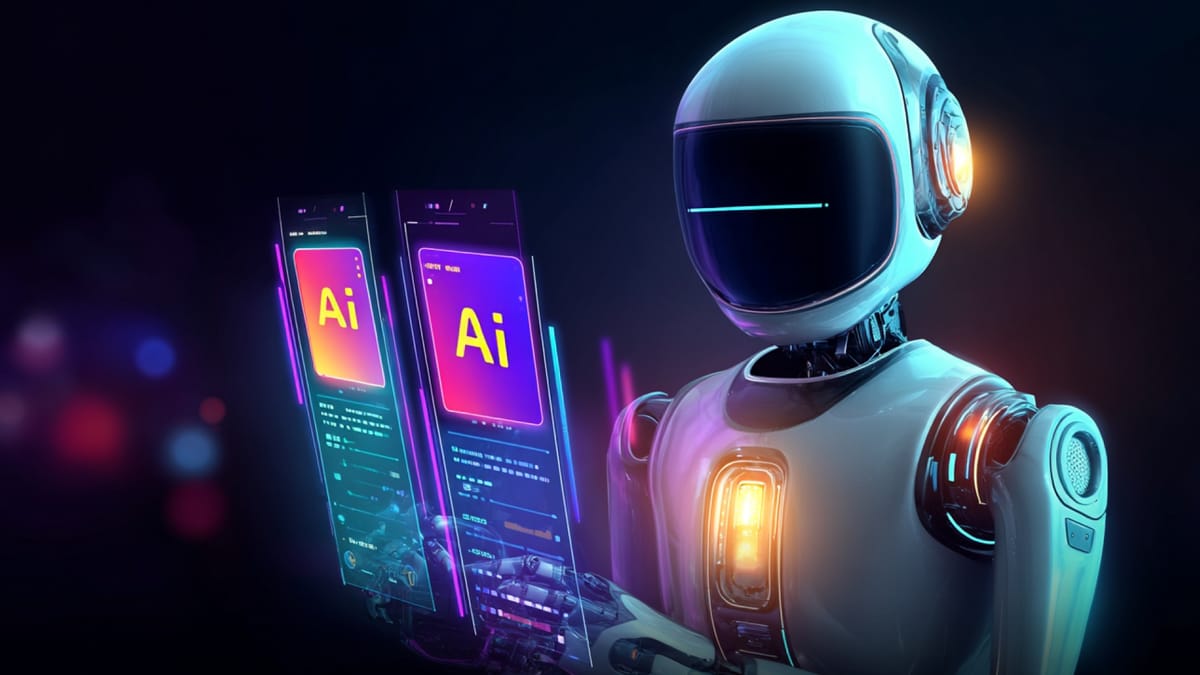
The category of text-to-video models is much broader than it used to be. It now includes frontier commercial systems built for creators and marketers, as well as open-source model families built for developers, researchers, and teams that want more control over deployment and customization. That shift matters because these systems are no longer solving one problem for one type of user.
The real split in 2026 is not just model quality; it is workflow fit. Some text-to-video models are optimized for polished output, faster production, and creator-facing tools. Others are better suited to local inference, open experimentation, and custom pipelines. Treating all of them as direct substitutes usually leads to bad choices.
In this blog, we compare commercial and open-source text-to-video models across quality, control, deployment, and real-world workflows to help you choose the right fit for your use case.
TL;DR / Key Takeaways
- The text-to-video model landscape now splits into two clear categories: commercial models (polished, creator-ready) and open-source models (flexible, customizable, developer-friendly).
- The right choice depends on workflow needs, not just output quality; speed and ease vs control and customization.
- Open-source models are better for local deployment, experimentation, and custom pipelines.
- Most creators do not need raw model access; they need a way to turn ideas into usable videos quickly.
- Frameo helps bridge that gap by converting prompts into structured, storyboarded, voice-enabled short-form videos without requiring complex model workflows.
What Text To Video Models Are
A text-to-video model takes a written prompt and generates a moving clip that tries to match the described scene, action, style, and camera behavior. At a high level, that sounds like text-to-image with motion added on top. In practice, it is much harder. A video model has to create convincing individual frames and also keep them coherent across time, which means maintaining object identity, camera continuity, motion logic, and scene consistency from one moment to the next. Adobe’s public explainer describes text-to-video in creator terms, while Hugging Face’s video-generation documentation frames the same challenge more technically as a spatio-temporal generation problem.
What A Text To Video Model Actually Does
The “model” part matters. A text-to-video model is not just an app interface. It is the underlying generation system that turns prompt information into frames and motion patterns. Some products expose that model directly, while others wrap it inside a much larger workflow that may include storyboarding, editing, voice, templates, and publishing controls. That distinction becomes important later because many people compare raw models and workflow tools as if they were the same product category. They are not.
Why Video Generation Is Harder Than Image Generation
Images can get away with a single convincing frame. Video cannot. Once motion begins, weak structure shows up immediately. Character drift, unstable hands, warped objects, inconsistent lighting, and strange camera behavior all become more obvious when the model has to sustain a scene over time. That is one reason official product pages for current leading systems keep emphasizing consistency, controllability, prompt adherence, motion quality, and audio sync. Those claims matter precisely because those have been the failure points of text-to-video AI for years.
Also Read: Best AI Video Generation Models Of 2026
How Text To Video AI Works
Most modern text-to-video systems follow a familiar broad pattern. The model reads the prompt, converts it into an internal representation, and then generates frames in a compressed latent space before decoding them into video. What separates good systems from weaker ones is not the basic outline. It is how well they handle temporal coherence, camera movement, scene logic, style persistence, and, increasingly, synchronized audio. Hugging Face’s Diffusers documentation treats text-to-video as an extension of image diffusion with video-specific architectural components, while newer systems like Sora 2 and LTX-Video are explicitly positioned around richer motion and integrated audio-video generation.
From Prompt To Motion
A useful way to think about the process is in three stages:
- Prompt understanding: the system interprets scene, subject, style, and action cues
- Video generation: the model builds frames and motion relationships over time
- Decoding and refinement: the latent representation becomes a playable clip, sometimes with audio
That sounds tidy on paper. In practice, the hard part is the second stage. The model has to decide what should move, how it should move, what should stay stable, and how the scene should evolve without collapsing into visual drift.
Why Consistency And Control Still Matter
The quality bar in this space has risen, but control is still the dividing line between novelty and usable output. Runway Gen-4.5 emphasizes prompt adherence, motion quality, and visual fidelity. Veo 3.1 emphasizes richer audio, more narrative control, and support for vertical video. Sora 2 emphasizes improved physical realism, controllability, and synchronized dialogue and sound effects. The wording differs, but the signal is the same: the frontier is no longer “can this make video at all?” It is “can this make video you can actually direct?”
Related: How To Write Prompts For AI Video Generators In 2026
The Two Big Categories of Text-to-Video Models
The market is easier to understand once you split it into two groups: commercial text-to-video platforms and open-source text-to-video models. Both generate video from prompts. That is where the similarity ends. Commercial systems are usually packaged for creators, marketers, or filmmakers who need output quickly. Open models are closer to infrastructure. They appeal more to developers, researchers, advanced hobbyists, and teams that want local control, customization, or self-hosted workflows.
1. Commercial Text To Video Platforms
This group includes systems like:
- Sora 2
- Veo 3.1
- Runway Gen-4.5
- Adobe Firefly
- Kling as part of the broader commercial model landscape already being covered across Frameo’s blog ecosystem
These products usually prioritize usability, interface polish, creator workflows, and faster access to generation features. They are built for people who care about outputs more than local deployment.
2. Open-Source Text To Video Models
This group includes systems like:
- Wan2.2
- HunyuanVideo-1.5
- LTX-Video
- Mochi 1
- CogVideoX
- Open-Sora v2 and related research-first stacks
These models matter because open video generation is no longer a toy category. Wan2.2 is positioned as an open 720p, 24fps text-to-video and image-to-video system that can run on consumer-grade GPUs. HunyuanVideo-1.5 is explicitly positioned as a lighter-weight video model for broader access. LTX-Video markets synchronized audio and video in one model. Mochi 1 is released under Apache 2.0 and emphasizes prompt adherence and motion quality.
Why These Categories Should Not Be Compared Carelessly
A creator asking for the best AI tools to generate video from text description is often solving a different problem from a developer asking for the best open source text to video ai model. The first wants speed, commercial usability, and polished output. The second may want local inference, model access, custom pipelines, or lower vendor dependence. Treating those as one decision usually produces bad recommendations.
Also Read: Top 10 Text-To-Video AI Tools For Marketers 2026
The Leading Commercial Text-to-Video Models In 2026

The commercial side of the category is now defined less by “who can make a clip” and more by what kind of workflow the model supports. Some systems push cinematic fidelity and frontier generation quality. Others push safer commercial publishing, stronger editing controls, or better integration with creator tools. That is why any serious review of text-to-video AI models needs to separate raw output quality from workflow fit.
Best For Frontier Video Generation
Sora 2 is currently one of the clearest reference points for frontier commercial video generation. OpenAI positions it as more realistic, more physically accurate, and more controllable than prior versions, with synchronized dialogue and sound effects. That makes it more than a silent clip generator. It is explicitly moving toward richer audiovisual scene creation.
Veo 3.1 is being positioned by Google around richer audio, stronger narrative control, enhanced realism, and vertical-video support. That matters because creator demand is no longer limited to cinematic widescreen output. Vertical and mobile-first workflows are now part of the serious model conversation, not a side category.
Runway Gen-4.5 is pushing the controllability angle hard, with official materials highlighting motion quality, prompt adherence, visual fidelity, and detailed control over camera choreography and scene composition. That makes it especially relevant for users who care less about novelty and more about directed output.
Best For Workflow And Commercial Use
Adobe Firefly is approaching text-to-video from a different angle. Its positioning is less about frontier benchmark bragging and more about a commercially safer workflow for creators and marketers. Adobe explicitly frames Firefly video as suitable for commercially safe use and ties text-to-video into a broader editing stack that includes voice, sound, music, and AI video editing. That makes it a very different choice from a model-first system.
The practical lesson is simple. The best text to video generation ai models are not always the same models for every user. The best system for experimental cinematic generation may not be the best one for social production, client work, or brand-safe publishing.
Related: Kling AI Text-To-Video Features And Pricing Breakdown For 2026
The Best Open-Source Text To Video AI Models Right Now

The open-source side of text to video models has improved enough that it can no longer be dismissed as experimental. It still lags behind frontier commercial systems in polish and ease of use, but the gap is closing especially for developers, technical creators, and teams willing to trade convenience for control.
This is also where most searches around open source ai text to video generator, free text to video ai open source, and related variants are focused.
Best Open Models For Local And Self-Hosted Use
Several models stand out in 2026 for practical use:
- Wan2.2
Positioned as one of the more accessible open models, with support for 720p video and the ability to run on consumer GPUs. It also supports image-to-video workflows, which makes it useful beyond pure prompt-based generation. - HunyuanVideo-1.5
Designed to be lighter and more efficient. It is a strong option for users who want to experiment locally without extremely high hardware requirements. - LTX-Video
Notable for pushing toward audio + video generation together, rather than treating sound as a separate pipeline. This direction matters because synchronized output is becoming a key differentiator.
Best Open Models For Developers And Research
Some models are more relevant for experimentation and custom pipelines:
- Mochi 1
Released under Apache 2.0, which makes it attractive for commercial experimentation. It focuses on motion quality and prompt adherence. - CogVideoX
One of the more visible open model families, widely used in research and community workflows. - Open-Sora v2
More of a research-driven stack than a plug-and-play tool. Still relevant for understanding how large-scale video generation systems are structured.
The Reality Of Open Source Text To Video
Open-source text-to-video AI is now credible, but it comes with tradeoffs:
- setup complexity is higher
- hardware requirements can still be heavy
- outputs often need more iteration
- workflow tooling is limited compared to commercial products
That is why these models are best suited for users who want control, customization, or local deployment, not necessarily the fastest path to polished video.
Also Read: Top Sora Alternatives For AI Video Generation In 2026
How To Choose The Right Text To Video Model
Choosing between ai text to video models is less about finding “the best” and more about matching the model to your workflow.
What Creators Should Prioritize
If the goal is content creation, marketing, or storytelling:
- ease of use
- output quality
- prompt reliability
- editing and workflow integration
- commercial safety
In this case, commercial platforms like Sora, Runway, or Firefly usually make more sense.
What Developers Should Prioritize
If the goal is experimentation, customization, or building systems:
- model access
- open weights or licensing
- local inference capability
- integration flexibility
- cost control over time
This is where open-source models like Wan, HunyuanVideo, or Mochi become more relevant.
The Key Decision Filter
A simple way to decide:
- Want finished video fast → commercial model
- Want control and customization → open-source model
- Want structured storytelling workflow → workflow platform
That last category is often overlooked but important.
Related: 9 Best AI Video Generator Tools In 2026 Trusted By Creators
Where Text To Video Models Still Fall Short
Despite rapid progress, text-to-video models still struggle with consistency, control, and long-form storytelling.
The Technical Limits
- inconsistent characters across shots
- unstable motion in complex scenes
- weak long-form narrative continuity
- difficulty controlling fine-grained actions
- unpredictable prompt interpretation
These are improving, but they are not solved.
The Workflow Limits
- generating clips is easy, building films is harder
- editing still requires human judgment
- prompt-only workflows lack structure
- open-source setups require technical overhead
This is why many creators struggle: they can generate impressive clips but cannot turn them into coherent stories.
Why This Still Matters
The frontier is shifting from generation quality to control and workflow integration. The models are getting better, but the real bottleneck is still how creators structure the process around them.
Also Read: AI Film Pipeline From Script To Screen
How Frameo Fits Alongside Text-To-Video Models
Text-to-video models and workflow platforms are not the same category. A model generates clips from prompts. A workflow platform helps creators turn those clips, scenes, and ideas into usable video output with more structure and less production friction. That is where Frameo fits.
Frameo becomes most relevant when the goal is not just generating clips, but producing short-form video with clearer structure and faster execution. Its strongest fit comes through four areas:
- Prompt-To-Video Creation For Faster Content Production
Frameo turns prompts or scripts into cinematic short videos, helping creators move from idea to usable output quickly without working directly inside raw model environments. - Storyboarding And Scene Structure
Frameo includes AI storyboarding and scene-by-scene generation, which helps creators build more intentional visual sequences instead of treating each clip as an isolated generation task. - Voice, Dubbing, And Short-Form Packaging
Frameo supports narration, dubbing, and multilingual voice workflows, which makes it useful for creators who need more than silent generation and want content that is closer to publish-ready. - Vertical, Creator-Focused Output
Frameo is built for short-form, mobile-first video creation, including formats aligned with Shorts, Reels, and similar platforms where most creators actually publish.
That makes Frameo most useful for creators, marketers, and teams who care less about direct model access and more about turning text-to-video ideas into structured, story-led content with fewer moving parts.
Conclusion
The most useful way to evaluate text-to-video models is not by asking which one is universally best. It is by asking what kind of workflow you actually need. Commercial models are stronger for polished output and speed. Open-source models are stronger for control, experimentation, and self-hosted use.
The bigger mistake is comparing raw models and workflow platforms as if they solve the same problem. They do not. Models generate video. Workflow systems shape how that generation becomes usable content.
Frameo fits on the workflow side of that equation. It helps creators move from prompt to storyboarded, voiced, short-form video with a structure built for publishing rather than raw experimentation. That makes it especially relevant for teams that want faster production, clearer scene flow, and more direct paths from idea to finished content. Start creating structured, story-driven AI videos with Frameo.
Frequently Asked Questions
1. What is the difference between commercial and open-source text-to-video models?
Commercial models are typically hosted, easier to use, and optimized for polished output and speed. Open-source models offer more flexibility and control but usually require technical setup, infrastructure, and experimentation to use effectively.
2. Which type of text-to-video model is better for creators?
For most creators, commercial models are more practical because they focus on usability, faster output, and integration into content workflows. Open-source models are better suited for developers or teams building custom systems.
3. Are open-source text-to-video models free to use?
They are often free to access, but not free to run. Open-source models typically require compute resources, infrastructure, and setup time, which can add operational costs.
4. Can text-to-video models create production-ready videos?
They can generate strong visual outputs, but most still require additional steps such as editing, voiceover, pacing adjustments, and formatting before the video is ready for publishing.
5. Do you need technical skills to use text-to-video models?
Commercial tools usually require minimal technical skills. Open-source models often require knowledge of environments, GPUs, APIs, or model configuration to use effectively.
6. How do you turn text-to-video outputs into publishable content?
This typically involves adding structure through storyboarding, refining scenes, adding voice or captions, editing for pacing, and formatting for platforms like Shorts or Reels. Tools like Frameo simplify this by combining these steps into a single workflow.