How to Create AI Short Films with Consistent Characters
Learn how to make an AI short film with consistent characters using practical prompts, scene planning, and tools that keep faces, style, and story across scenes
AI can generate stunning cinematic scenes in seconds. A prompt goes in, a dramatic shot appears, and suddenly it feels like filmmaking has become accessible to anyone with a laptop and an idea. That excitement draws many creators into experimenting with AI storytelling.
Then the second scene is generated.
The character who looked perfect a moment ago suddenly has a different face. The hairstyle changes. The outfit shifts. The style of the shot feels slightly off. Instead of watching a story unfold, you’re watching the character quietly transform from scene to scene.
That single issue has become one of the biggest creative roadblocks in AI-driven filmmaking. Generating visuals is easy, but keeping a character recognizable across multiple shots is where the real challenge begins.
Creating an AI short film that holds together visually requires a different approach. You need to guide the system with clear character definitions, consistent visual cues, and scene planning that keeps the same identity intact throughout the story.
In the sections ahead, we’ll break down the practical techniques creators use to build AI-driven short films where characters remain consistent from the opening shot to the final frame.
Key Takeaways
- AI short films succeed when characters are defined clearly before generation, including stable visual traits, clothing, and repeatable prompt descriptions.
- Start by defining a detailed character profile including face structure, hairstyle, clothing, and age, then reuse the same description in every prompt.
- Write prompts where the character description stays identical, while actions, environments, and story events change from scene to scene.
- Plan the film as a scene sequence (introduction, action, emotional moment, resolution) to guide consistent visual generation across the story.
- Avoid identity breaks by keeping camera framing, lighting style, and art direction stable while gradually evolving the environment around the character.
Why Character Consistency Matters in AI Short Films
AI can generate visually impressive scenes, but storytelling depends on continuity. When the same character appears differently in every shot, the audience stops focusing on the narrative and starts noticing the inconsistencies instead.
A short film, even a two-minute one, relies on visual familiarity. The viewer should instantly recognize the character as the story moves from one scene to the next. Without that continuity, the film begins to feel like a sequence of unrelated images rather than a connected narrative.
1.Audience Recognition and Emotional Connection
Viewers build an emotional connection through familiarity. When a character’s face, clothing, or overall appearance changes between scenes, that connection breaks.Key problems include:
- Characters become visually unrecognizable
- Sudden changes in hairstyle, clothing, or facial features
- Scenes that feel disconnected from the previous shot
Consistent character design allows viewers to follow the story without visual distractions.
2.Narrative Clarity
Characters act as the visual anchors of the story. If the character changes visually, the audience may struggle to understand whether they are seeing the same person or a different one.This confusion can lead to:
- Difficulty following the storyline
- Scenes that appear unrelated
- Loss of narrative flow
Maintaining visual identity ensures the story progresses smoothly from scene to scene.
3.Professional-Looking AI Films
One of the biggest differences between experimental AI videos and well-crafted AI films is consistency.Creators who control:produce videos that feel intentional and cinematic rather than randomly generated.
- character appearance
- visual style
- scene continuity
To understand how to maintain that level of consistency, it first helps to see how AI systems actually generate characters in the first place.
How AI Generates Characters in Video Scenes?
AI video models do not actually remember characters the way filmmakers or artists do. Instead, they generate visuals based on prompts, patterns learned during training, and a degree of randomness in every generation.
Understanding this process explains why characters often change between scenes and why creators need to guide the system carefully to maintain visual continuity.
- Pattern-Based Generation:
AI models generate visuals by predicting patterns from large training datasets rather than recalling a specific character identity.- Each generated frame is influenced by probabilities learned from images and videos in the training data.
- The model interprets descriptive prompts to create a new visual output instead of reproducing the exact same character.
- Prompt Interpretation Variability:
Small changes in prompts or scene context can lead the model to produce slightly different versions of the same character.- Descriptions like clothing, lighting, or camera angle can influence the character’s appearance.
- Even with the same prompt, generative models may produce variations in facial features or style.
- Frame-by-Frame Scene Generation:
Many AI video workflows generate scenes as individual frames or short clips rather than as a continuous recorded performance.- Each frame is generated independently by the model.
- Without guidance, visual elements such as face structure, hairstyle, or outfit may shift across frames.
- Model Randomness and Sampling:
Generative models include controlled randomness to produce diverse outputs.- This randomness helps create new visuals but can also alter character details.
- Slight sampling differences between generations can result in visible character variation.
This is why maintaining the same character across multiple scenes requires more than a good prompt; it requires planning the character before the first frame is generated.
Suggested read: AI Video Generation Ethics: Risks, Rules, and Best Practices
Planning Your Character Before Generating Scenes
Before generating any visuals, the most important step is defining the character clearly. AI models respond best to structured descriptions and visual references, so the more precisely a character is planned, the easier it becomes to maintain the same identity across scenes.
This preparation stage gives the model a stable reference point, which significantly improves visual continuity throughout the short film.
- Define the character’s core appearance: Decide on key visual traits such as face structure, hairstyle, clothing style, age range, and overall look before writing prompts.
- Lock important visual identifiers: Choose a few distinctive elements that should remain constant, such as a specific jacket, hairstyle, or color palette.
- Create a reference description: Write a clear character description that can be reused across prompts to guide the model toward generating the same identity.
- Use visual reference images whenever possible: Reference images or character sheets can help AI models maintain facial features and styling more consistently across different scenes.
- Plan the character’s role in each scene: Outline how the character appears in every scene, so prompts remain aligned with the overall story and visual continuity.
Creator Insight: Platforms such as Frameo are designed to help filmmakers create AI-driven short films while maintaining consistent characters across multiple scenes.
Once the character is defined clearly, the next step is learning how to structure prompts so the same identity stays recognizable from scene to scene.
Suggested read: Future of Content Creation: 2026 Trends & Predictions
Writing Prompts That Preserve Character Identity
Prompt writing is where most AI short films either succeed or fail. A single scene might look great on its own, but if the prompts shift too much between shots, the character quietly turns into someone else. Creators who keep characters consistent usually rely on structured prompts that repeat defining traits while letting the environment evolve.
The key principle is simple: the character description should stay stable while the story around the character moves forward.
1.Use Consistent Character Descriptions
A character should be introduced with a clear visual identity, and that description should follow them through every scene.
- Repeat facial features, hairstyle, age, and signature clothing in every prompt.
- Avoid rewriting the character differently in later scenes.
Example prompt sequence:
- A young journalist with shoulder-length black hair, wearing a dark blue coat and round glasses, standing in a foggy city street at night, cinematic lighting.
- The same young journalist with shoulder-length black hair, dark blue coat, and round glasses running through the foggy street as neon lights reflect on wet pavement.
Notice how the character description stays identical while the action changes.
2.Lock Visual Traits
Some visual details should remain constant across the entire film. These traits act like anchors that keep the character recognizable.Focus on locking elements such as:
- Hair style and color
- Signature clothing or accessories
- Camera framing style
- Lighting mood
Example prompt:
- A tired detective with messy blond hair, wearing a long brown trench coat and black gloves, cinematic medium shot, dramatic night lighting.
Next scene example:
- The same detective with messy blond hair, brown trench coat, and black gloves walking through a rain-soaked alley, cinematic medium shot, dramatic night lighting.
The environment changes, but the character identity stays intact.
3.Maintain Scene Context
Even with the same character description, dramatic changes in scene style can alter how the model renders the character.
- Creators usually maintain continuity by:Keeping the camera perspective similar across scenesMaintaining the same visual style or art directionChanging story elements gradually rather than all at once
- Example scene progression:A teenage boy with curly brown hair and a yellow hoodie is sitting alone on a subway platform, with soft cinematic lighting.The same teenage boy with curly brown hair and a yellow hoodie is boarding the subway as the train doors open behind him.The character moves through the story, but the identity remains stable from scene to scene.
Suggested Read: 20 AI Video Generator Prompt Examples Creators Can Use
Structuring Scenes to Maintain Character Continuity
Even with well-written prompts, character consistency can break if scenes are generated randomly. AI short films work best when the story is structured first, and each scene is generated with a clear purpose. Planning scenes in advance allows creators to control how the character appears, moves, and evolves throughout the film.
A simple scene structure helps maintain both narrative flow and visual consistency from the opening shot to the final frame.
1.Define the Character’s Role in Each Scene
Before generating visuals, map out what the character is doing in every scene, so prompts stay aligned with the story.
- Scene 1 – Character introduction: Establish the character’s appearance clearly so the model learns the visual identity early.
- Scene 2 – Character in motion: Show the character performing an action while keeping the same clothing and facial traits.
- Scene 3 – Emotional moment: Use similar framing so facial features remain recognizable during close-ups.
- Scene 4 – Resolution: Keep the same visual style and character traits to maintain continuity in the final scene.
2.Keep Camera Perspective Consistent
Camera style can influence how AI models render characters. Sudden changes in camera framing may alter facial structure or proportions.
- Use similar shot types across scenes, such as medium shots or close-ups.
- Maintain a consistent lens perspective or cinematic style.
- Avoid switching dramatically between wide shots, extreme close-ups, and stylized angles.
Stable camera framing helps the model maintain consistent character appearance.
3.Control Environmental Changes Gradually
Changing environments too drastically can cause the model to reinterpret the character.
- Move the character between locations gradually rather than abruptly.
- Keep the lighting style and color palette similar across scenes.
- Introduce new visual elements gradually so the character remains the visual anchor.
When the environment evolves gradually, the character remains recognizable while the story progresses.
4.Maintain Visual Style Across the Film
AI models respond strongly to visual style descriptions. Consistency in style helps prevent the character from changing appearance.
- Use the same visual style description in every prompt.
- Maintain consistent lighting mood and color grading.
- Repeat stylistic cues such as cinematic lighting, film grain, or dramatic shadows.
When the visual style remains stable, the character feels like part of the same world throughout the short film.
Example Scene Progression
To see how this works in practice, imagine a short AI film built around the same character moving through different moments of the story.
- Scene 1: A young journalist with shoulder-length black hair, wearing a dark blue coat and round glasses, standing on a rainy city street at night.
- Scene 2: The same journalist with shoulder-length black hair, dark blue coat, and round glasses running through the rain toward a glowing subway entrance.
- Scene 3: The same journalist sitting inside a subway train, rain on the windows, neon lights reflecting across her face.
The setting evolves, and the story moves forward, but the character’s identity stays recognizable in every scene.
Maintaining the same character across multiple AI-generated scenes becomes far easier with tools like Frameo, which provide structured pipelines and precise asset-level controls. Frameo allows creators to adjust characters, camera, lighting, voice, and pacing while assembling scenes on a timeline without breaking narrative continuity.
Suggested read: How to Create an AI Character Video
Common Mistakes That Break Character Consistency
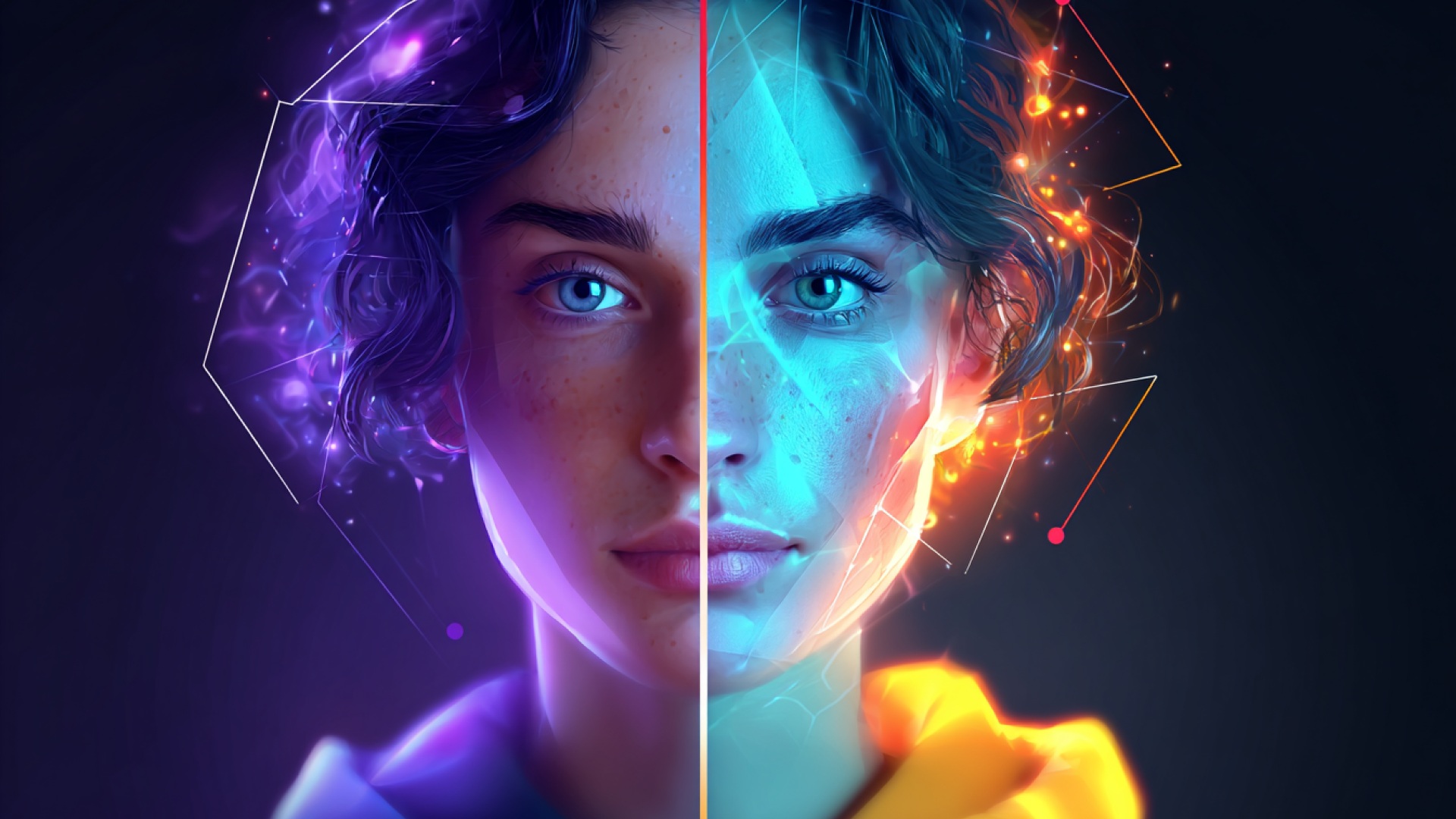
Even well-planned AI short films can lose continuity if small prompts or visual changes slip into the workflow. The following mistakes are the most common reasons characters start looking different from one scene to the next.
- Changing character descriptions between prompts: Rewriting the character differently in later scenes often causes the AI to generate a completely new face or appearance.
- Altering key visual traits: Modifying elements like hairstyle, clothing, or accessories between scenes can make the character look like a different person.
- Switching art styles mid-story: Moving from cinematic realism to illustration or anime styles can disrupt the visual identity of the character.
- Introducing drastic lighting changes: Extreme shifts in lighting or color grading may alter facial features, shadows, and overall character appearance.
- Using inconsistent camera framing: Jumping between wide shots, extreme close-ups, and stylized angles can distort proportions and facial structure.
- Adding too many new details in later prompts: Introducing new clothing, props, or scene elements can cause the model to reinterpret the character.
- Generating scenes independently without planning: Creating shots randomly without a scene structure often results in inconsistent characters across the film.
Avoiding these mistakes makes it much easier to maintain a recognizable character as the story moves from one scene to the next.
Create AI Short Films with Greater Character Control
Maintaining consistent characters across scenes can be challenging when multiple tools and generation steps are involved. This is where a structured video creation platform can simplify the process by combining scripting, scene generation, editing, and voice tools in one environment.
- Script to Video & Story to Video: Convert written scripts or story ideas directly into structured video scenes without building complex generation pipelines.
- AI Storyboarder & Scene Planning: Plan shots visually so characters, camera framing, and pacing remain consistent throughout the film.
- Character and Face Controls: Tools like AI face swap and visual editing allow creators to adjust expressions, appearance, and character identity across scenes.
- Integrated Editing & Voice Tools: Built-in AI video editor, voice generator, and voiceover tools help synchronize dialogue and narration without switching platforms.
- Content Creation for Multiple Formats: Generate short films, trailers, anime-style videos, YouTube Shorts, TikTok clips, marketing videos, and training content from the same workspace.
Platforms like Frameo show how AI filmmaking tools are evolving from isolated generators into complete storytelling environments.
Wrapping Up
Creating an AI short film with consistent characters requires more than generating impressive visuals from prompts alone. Careful character planning, stable visual descriptions, and structured scene progression help maintain recognizable identities across every moment of the story. When these elements work together, AI-generated scenes begin to feel like a deliberate cinematic narrative instead of disconnected clips.
As AI filmmaking tools continue evolving, creators now have greater control over characters, pacing, and storytelling structure. Platforms designed for story-driven production can simplify the process by combining scripting, scene creation, editing, and voice tools into one environment. This approach allows filmmakers, creators, and marketers to focus more on storytelling rather than managing complex generation workflows.
Explore how Frameo helps creators transform scripts into consistent cinematic scenes while maintaining character identity across entire short films.
FAQs
1.How long can an AI short film be?
AI short films can range from a few seconds to several minutes, depending on the tools used and the available computing resources. Many creators generate scenes separately and then combine them during editing to produce longer films.
2.Do you need editing software after generating AI video scenes?
Yes, editing software is usually required to assemble scenes, adjust pacing, and add audio elements such as music or voiceovers. Video editors help turn separate AI-generated clips into a cohesive short film.
3.Can AI generate voiceovers for short films?
Many AI tools now include voice generation features that convert text scripts into narration or dialogue. These voices can be synchronized with scenes to create more immersive storytelling.
4.What type of stories work best for AI short films?
Short narratives with clear characters and simple scene transitions work best because they are easier to generate and maintain visually. Genres like mystery, sci-fi, animation, and experimental storytelling are commonly explored.
5.Is it possible to turn existing scripts into AI short films?
Yes, scripts can be converted into scenes using AI tools that generate visuals, voiceovers, and animations from written text. This allows creators to transform story ideas or screenplays into short films without traditional filming.



