Anime Storyboard: How to Plan Scenes Like Professional Animators
Learn how to build an anime storyboard that plans shots, pacing, and emotion like pro animators. Turn ideas into clear scene sequences for smoother animation.
The camera slowly pans across a destroyed city. A lone character stands still for a second before the fight begins. The music drops, the tension builds, and then the action explodes. Scenes like this are why anime moments from Attack on Titan, Naruto, Demon Slayer, or Your Name stay in people’s minds long after the episode ends.
But those scenes don’t start as animation.
They start as rough sketches.
Before a single frame is animated, directors and artists map out every shot using an anime storyboard. This is where they decide what the viewer will see first, when the camera moves, how long a pause should last, and how the emotion of the scene should unfold.
In many ways, a storyboard is where the real storytelling happens.
For creators interested in storyboarding anime, this step is what transforms a simple script into a visual sequence that animators can actually bring to life. A well-planned Japanese animation storyboard guides the pacing, composition, and energy of every scene.
In this guide, you’ll learn how professional animators build anime storyboards, how scenes are planned shot by shot, and how you can start designing your own storyboard anime sequences like the pros.
Key Takeaways
- An anime storyboard divides a scene into visual panels that define camera angles, character placement, motion, and timing before animation begins.
- Effective anime storyboarding prioritizes shot progression and pacing, using simple sketches with camera notes and movement indicators to guide animators.
- Professional anime scenes often rely on alternating wide shots, close-ups, reaction frames, and pauses to control emotion and cinematic tension.
- Following a structured storyboard workflow helps creators design scenes that transition smoothly into animation and production-ready visual sequences.
What Is an Anime Storyboard?
An anime storyboard is a sequence of visual panels that map out how a scene will appear on screen before animation begins. Each panel represents a shot, showing where characters stand, how the camera moves, and what action takes place.
In anime production, storyboards act like a visual script for the entire animation team. Directors, animators, and editors use them to understand the flow of a scene and the emotional pacing of each moment.
A typical Japanese anime storyboard usually includes:
- Scene panels: Rough sketches showing each shot in the sequence
- Camera directions: Notes about pans, zooms, and framing
- Character placement: Where characters appear and how they move
- Dialogue and timing: Speech, pauses, and scene duration
- Action notes: Descriptions of movement or dramatic emphasis
Unlike finished animation frames, storyboard sketches are intentionally simple. Their goal is not visual perfection but clear storytelling and scene planning.
By breaking a scene into structured panels, anime storyboards help directors test how the story will unfold before the expensive animation process begins.
Why Storyboarding Is Essential in Anime Production?
Anime scenes that feel cinematic, like a perfectly timed Demon Slayer sword strike or a silent stare-down in Attack on Titan, are rarely accidental. Directors use storyboards to experiment with shot order, dramatic pauses, and camera movement until the scene delivers the exact emotional punch they want.
For creators interested in storyboarding anime, this step is where scenes start to feel cinematic instead of random.
- Designing how viewers experience a scene:
A storyboard helps decide what the audience sees first and how their attention moves through the scene.- Framing characters: Close-ups highlight emotion, while wide shots establish location.
- Viewer focus: Panels guide the eye toward the most important action.
- Example: In Attack on Titan, the vertical maneuver gear sequences rely heavily on dramatic framing and camera movement planned during the storyboard stage.
- Building tension before action happens:
Anime often stretches moments before a big event to increase anticipation.- Reaction shots: Characters react before the action unfolds.
- Pause timing: Still frames can hold the viewer’s attention before a dramatic shift.
- Example: Many emotional scenes in Makoto Shinkai films like Your Name use lingering environment shots to build atmosphere before dialogue continues.
- Planning complex action choreography:
Anime fight scenes and movement-heavy sequences need careful shot planning so the action remains clear.- Shot order: Directors plan how the action moves from one panel to the next.
- Motion guides: Arrows and notes describe character movement and camera direction.
- Example: Action-heavy shows such as Demon Slayer rely on detailed storyboards to coordinate camera movement with character combat.
- Helping the entire animation team work from the same vision:
A storyboard communicates the director’s intent to everyone involved in production.- Animators understand movement and composition
- Editors see how shots transition
- Voice actors understand emotional beats
For anyone learning anime storyboarding, this is the moment where storytelling becomes visual instead of just written.
Once you understand why anime relies so heavily on storyboards, the next step is learning the key elements that appear in a professional anime storyboard.
Suggested Read: AI in Video Post-Production for Marketing Agencies
Key Elements of a Japanese Anime Storyboard
A professional Japanese anime storyboard includes visual sketches and technical notes that guide how a scene will be animated. These elements help directors communicate camera movement, timing, and action clearly to the animation team.
1.Shot Panels
- Rough scene sketches that represent each shot in the sequence
- Character placement to show where characters appear within the frame
- Framing that determines how much of the environment or action is visible
2.Camera Directions
- Pan: Camera moves horizontally to reveal more of the scene
- Zoom: Camera moves closer or farther to emphasize emotion or scale
- Tilt: Camera shifts vertically to guide the viewer’s focus
- Perspective notes: Indications of low-angle, high-angle, or dramatic viewpoints
3.Timing and Dialogue Notes
- Scene duration: Indicates how long a shot should remain on screen
- Dialogue placement: Shows when characters speak during the shot
- Emotional beats: Notes highlighting important pauses or reactions
4.Motion and Action Indicators
- Arrows showing movement: Indicate character motion or camera direction
- Choreography notes: Describe actions such as running, turning, or attacking
- Scene transitions: Explain how one shot moves into the next
Once you understand these elements, creating your own anime storyboard becomes much easier.
Suggested Read: AI Film Production Workflow: A Practical Pipeline for Short-Form Video
Step-by-Step Process to Create an Anime Storyboard
Professional anime directors rarely start with finished animation. Instead, they plan scenes visually first so the pacing, camera angles, and emotional beats feel intentional before production begins. Following a structured anime storyboarding process helps creators turn rough ideas into clear shot sequences that animators can easily interpret.
Step 1: Break the Scene Into Story Beats
- Identify the key moments that move the scene forward.
- Decide where the scene starts, escalates, and resolves.
- Highlight emotional beats, such as tension before an action moment or a pause before dialogue.
- Example approach used in anime storytelling: action scenes often build through anticipation → impact → reaction.
Step 2: Sketch the Initial Panels
- Draw simple storyboard panels that represent each shot.
- Focus on shot order and composition, not detailed artwork.
- Show character placement and environment context in each frame.
- Many professional anime storyboards are rough sketches because the goal is clarity, not polished illustration.
Step 3: Plan Camera Angles and Framing
- Choose the camera perspective for each shot.
- Use wide shots to establish the setting or scale of the scene.
- Use close-ups to emphasize emotions or reactions.
- Dynamic framing is common in animation and anime storyboard planning to make action scenes feel more cinematic.
Step 4: Add Movement and Timing
- Indicate camera motion such as pans, zooms, or tilts.
- Use arrows or notes to show character movement across panels.
- Mark timing cues, such as pauses before dialogue or rapid cuts during action.
- Timing notes help editors and animators understand the rhythm of the scene.
Step 5: Review the Flow of the Scene
- Look at the storyboard panels in sequence to check visual continuity.
- Ensure the action is easy to follow from one shot to the next.
- Adjust framing, timing, or shot order to improve storytelling clarity.
- Professional anime storyboarding often involves multiple revisions before production begins.
Once your panels clearly show the sequence of shots, movement, and pacing, the storyboard becomes a practical blueprint for animating the scene.
If you want to turn your storyboard idea into an animated scene quickly, you can also experiment with Frameo’s anime maker, which generates styled animation videos directly from prompts or images.
Now that you understand the process, looking at real anime storyboard examples can reveal how professional animators apply these techniques in actual scenes.
Suggested Read: Best AI Video Generator in 2026 for Content Creators
Anime Storyboard Examples
Studying real scenes helps creators understand how professional directors design shots before animation begins. Looking at anime storyboard examples reveals how framing, timing, and panel sequencing shape the way viewers experience a scene.
1.Action Sequence Planning
Action scenes in anime rely heavily on clear visual planning so the movement feels dynamic but easy to follow.
- Wide establishing panel: Introduces the location and positions characters before the action begins.
- Movement panels: Show the direction of attacks, jumps, or weapon swings through arrows and pose changes.
- Impact frame: A close-up shot highlights the moment of contact to emphasize intensity and drama.
2.Emotional Dialogue Scene
Dialogue-heavy moments in anime often depend on subtle visual pacing rather than constant movement.
- Medium shot panels: Show both characters during conversation so viewers understand their relationship.
- Reaction close-ups: Focus on facial expressions when a character hears something important.
- Pause frame: A silent panel between dialogue lines can increase emotional weight.
3.Cinematic Environment Shot
Many anime scenes start by establishing atmosphere before focusing on characters.
- Establishing shot: A wide frame introduces the environment and mood of the scene.
- Camera movement panel: Notes indicate panning or zooming to guide the viewer’s attention.
- Character reveal frame: The character enters the scene, transitioning the focus from environment to story.
Studying these types of animation anime storyboard structures helps creators understand how directors guide the audience’s attention through visual storytelling.
Common Mistakes Beginners Make When Storyboarding Anime
When creators first try anime storyboarding, the challenge usually isn’t drawing skill; it’s planning how a scene unfolds visually. Many beginners jump straight into sketching panels without thinking about pacing, shot progression, or how viewers will experience the scene.
- Overloading a single panel with too much action: Trying to show multiple movements in one frame makes the sequence hard to understand; action should be broken into separate storyboard panels.
- Using the same shot type repeatedly: Beginners often rely on identical medium shots throughout a scene, which makes the sequence feel visually flat and removes cinematic impact.
- Ignoring viewer focus within the frame: When character placement and camera framing are unclear, the audience may struggle to understand where the important action is happening.
- Over-detailing the drawings: Storyboards are meant to communicate ideas quickly, so spending time on polished artwork slows the planning process without improving storytelling.
- Skipping pacing checks between panels: Without reviewing how shots transition from one panel to the next, scenes may feel rushed, confusing, or emotionally inconsistent.
Avoiding these mistakes makes the anime storyboard much more effective and prepares your scenes for smoother animation production.
Suggested read: Best AI Video Generation Models of 2026
Techniques That Make Anime Storyboards Feel Cinematic
Once the basic structure of a storyboard is in place, the next step is learning how to make scenes visually engaging. Many modern creators are influenced not only by traditional anime but also by streaming culture, short-form storytelling, and cinematic editing styles. Applying a few intentional techniques can help a storyboard anime sequence feel more dynamic and emotionally impactful.
- Start scenes with a strong visual hook:
Instead of opening with dialogue, begin with a shot that instantly establishes mood or tension.- Example: A wide shot of an empty street before a character enters can immediately create anticipation.
- Use contrast between wide shots and close-ups:
Alternating between large environment shots and tight character frames keeps scenes visually interesting.- Example: Many anime scenes move from a landscape shot to a close-up reaction to guide the viewer’s emotional focus.
- Plan moments of stillness:
Modern anime often relies on quiet frames that allow the audience to absorb a moment before the next action occurs.- Example: A single silent panel before a dramatic reveal can make the next shot feel far more impactful.
- Think about how the viewer’s eye travels across panels:
Storyboard panels should guide attention naturally from one action to the next.- Example: If a character moves from left to right in one panel, maintaining that direction in the next panel keeps the scene easy to follow.
- Design shots for modern viewing habits:
Today, many viewers watch anime on laptops, tablets, or phones, which makes clear framing even more important.- Example: Simple compositions with strong silhouettes are easier to read on smaller screens.
Creative Shortcut: Once your panels are ready, platforms like Frameo can transform those storyboard ideas into animated scenes by generating motion, voices, and expressions directly from your concept.
With these techniques in mind, you’re ready to turn your storyboard ideas into a structured scene that animators can bring to life.
Turn Your Anime Storyboard Into Animated Scenes Faster
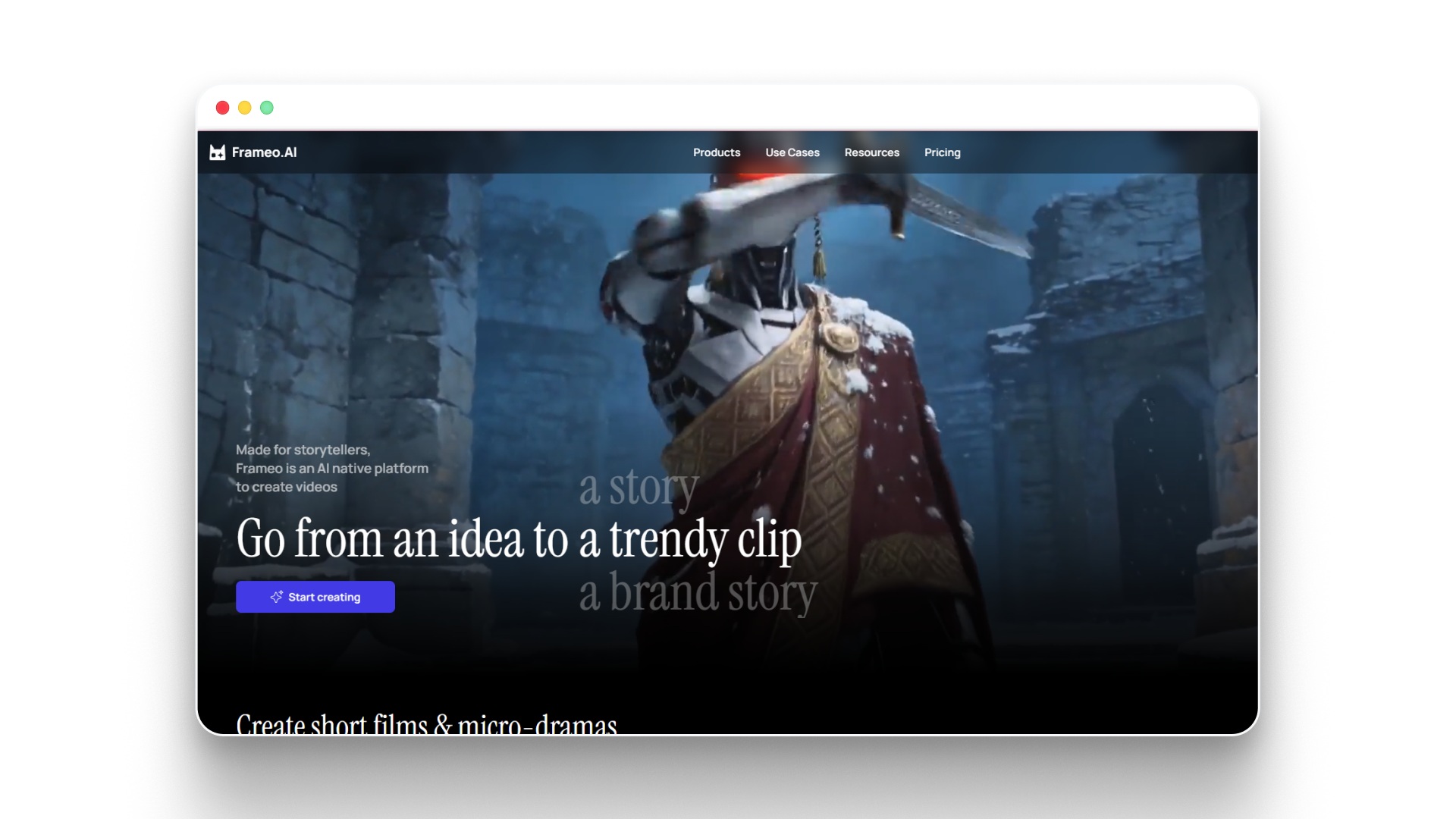
Creating an anime storyboard is where the storytelling begins, but turning those panels into actual animation usually requires several tools and production steps. Platforms like Frameo help creators move from storyboard planning to anime-style video generation within a single workflow.
- AI storyboard generator: Convert a prompt, script idea, or concept into structured storyboard panels that map out shots and scene progression.
- Anime video generator: Turn storyboard ideas, prompts, or images into anime-style animated scenes with cinematic motion.
- Style presets for anime aesthetics: Apply visual styles such as anime, fantasy, Ghibli-inspired looks, or cinematic animation presets.
- Voice and emotion synchronization: Add natural AI voices while syncing lip movement and character expressions to dialogue.
- Storyboard-to-video workflow: Move from planning shots to generating animated sequences without switching between multiple tools.
For creators experimenting with anime storyboarding, this kind of workflow makes it much easier to test ideas and quickly visualize how a scene might look when animated.
Wrapping Up
Creating an anime storyboard is one of the most important steps in shaping how a scene will feel once it reaches the screen. By planning shots, pacing, and character movement in advance, creators can turn rough ideas into structured visual sequences that guide the entire animation process. Whether you are working on a short scene or a full story, strong storyboarding helps ensure every moment feels intentional and cinematic.
As anime continues to influence modern storytelling, more creators are experimenting with storyboards to test ideas before committing to full animation. Learning how to plan scenes visually not only improves narrative clarity but also makes the production process much smoother. With the right approach, even simple sketches can evolve into powerful animated storytelling.
If you want to turn your anime storyboard into animated scenes quickly, explore how Frameo helps generate storyboards and anime-style videos from your ideas.
FAQs
1.Can beginners create an anime storyboard without drawing skills?
Yes. Storyboards focus on communicating scene ideas, not detailed artwork, so simple sketches or stick figures are often enough to plan shots and action clearly.
2.How many panels are usually in an anime storyboard scene?
The number varies depending on the complexity of the scene, but a short sequence may contain anywhere from 10 to 30 panels that outline key shots and transitions.
3.What size or format is commonly used for anime storyboard panels?
Many studios use rectangular panels arranged in rows on a page, often with space beside or below each panel for notes about timing, dialogue, and camera movement.
4.Do anime directors draw their own storyboards?
In many anime productions, the episode director or storyboard artist creates the storyboard to communicate how the scene should be framed, paced, and animated.
5.How long does it take to storyboard an anime scene?
The time varies based on scene complexity, but professional storyboard artists may spend several hours to a few days planning the shots and pacing for a single sequence.