Qin: The Emperor’s Secret
Explores the concealment of Qin Shi Huang’s death and the conflicting accounts of his succession. An illustrated history of power and disputed evidence in ancient China.
1:05 · Illustrated historical retelling

Frameo turns your ideas, research or scripts into narrated infotainment videos. Create the animation, characters and scenes to match the subject.
Qin: The Emperor’s Secret
Explores the concealment of Qin Shi Huang’s death and the conflicting accounts of his succession. An illustrated history of power and disputed evidence in ancient China.
History & Culture
Ancient China in an ink-scroll style. The history of Old Monk with an animated narrator. Frameo builds the cast and period scenes around the story you want to tell.
Explores the concealment of Qin Shi Huang’s death and the conflicting accounts of his succession. An illustrated history of power and disputed evidence in ancient China.
1:05 · Illustrated historical retelling
Explores the breweries and people behind Old Monk and how it became a familiar name in India. A brand-history story told by an animated retired-soldier character.
8:01 · Brand-history explainer · animated retelling
Follows storytelling from cave paintings and oral traditions to books, cinema and AI video. A long-form history of how new tools changed who could tell stories and how audiences experienced them.
32:34 · Long-form history · illustrated recreations
Science & Big Ideas
Walk viewers through an experiment or a question about the future. Frameo animates the moving parts while the narration explains what they mean.
Uses the Universe 25 mouse experiment to explore questions about abundance, work and belonging in an AI-driven future. An animated essay connecting behavioural science with speculation about society.
5:14 · Science and society essay · illustrative animation
News & Current Affairs
Show who’s involved, where events happened and what changed. Frameo combines your script with narration, maps and visual explanations for a news breakdown.
Covers the dispute over India’s voter-roll revisions and the Election Commission’s response to political allegations. A news explainer combining narration, maps and source material.
1:04 · News explainer · maps and presenter-led narration
Examines how US congressional elections could affect India through trade, immigration and diplomacy. A current-affairs explainer using maps, charts and competing arguments.
2:56 · Current-affairs explainer · maps, charts and narration
Speeches & Perspectives
A Roman crowd listening to Antony. A verse retold in anime. Set the passage to an animated performance, with a cast and setting that match your interpretation.
Brings Antony’s funeral speech from Shakespeare’s Julius Caesar to the screen, with an animated Roman crowd and dramatic delivery. A performance of a literary text.
1:36 · Animated adaptation of Shakespeare’s Julius Caesar
Pairs verses from the Bhagavad Gita with anime-style scenes of Donald Trump and American life. A political interpretation that ends with a Republican voting appeal.
2:16 · Political advocacy · animated interpretation
Crime & Mystery
A late-night call, a witness interview, a detail that changes the timeline. Build suspense with generated scenes, dialogue and the evidence you choose to reveal.
Suspicious incidents at a roadside diner unfold through emergency calls, witness interviews and simulated police footage. A fictional mystery told in the style of a crime documentary.
5:31 · Fictional crime story · simulated body-camera footage
Food Stories
Make Malabar biryani with Jupiter outside the window. Generate the kitchen, the cooking close-ups and the finished dish from your brief, with sound to match.
Follows the preparation of Malabar biryani in an imagined kitchen overlooking Jupiter, using ingredient close-ups and cooking sounds. A food film with a science-fiction setting.
2:21 · AI-generated cooking film · imagined setting
How it works
Bring your notes, an idea or a finished script. Work with Frameo on the narration and how the video looks.
“Tell the story of China’s first emperor using an illustrated scroll style.”
Choose a Skill and add your topic, audience and sources. Tell Frameo the visual style you have in mind.


Frameo helps write the script and plan the shots. Check the facts, then generate the scenes and narration.
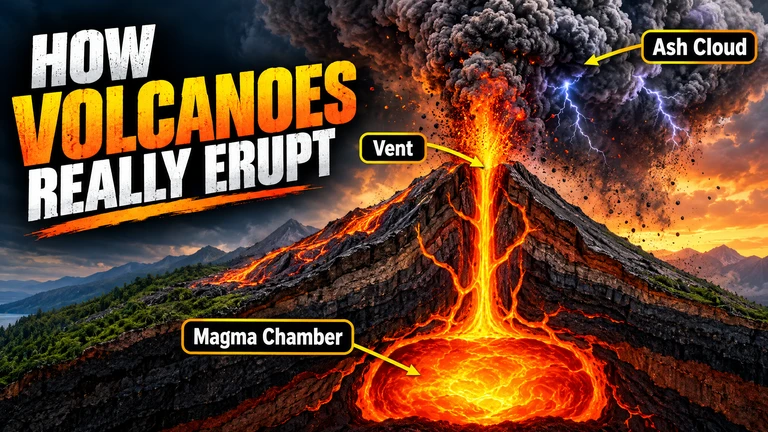
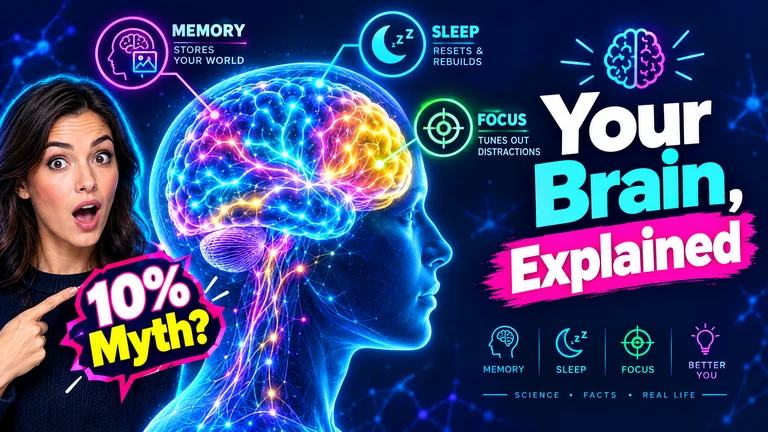
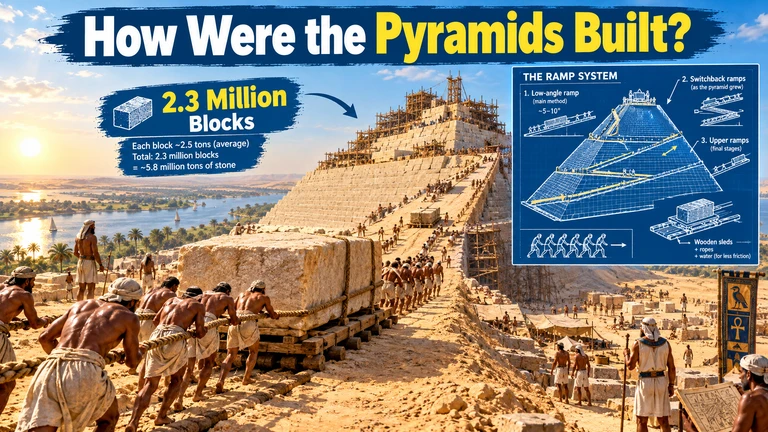
Change a line, slow an explanation down or try another visual style. Watch the complete video and export your finished cut.
A question, a few research notes or a finished script. Tell Frameo who the video is for and what you want them to understand. It helps develop the script, narration and scenes from there.
Yes. Include the facts and source material you want the video to use. Frameo helps shape them into a script. You check the claims, dates and figures against your sources; Frameo does not automatically verify them.
Yes. Ask for an illustrated scroll, animated diagrams, anime or realistic scenes. The Qin, Nobody Needs You and Mark Antony examples show how different treatments work. Give Frameo the style along with the subject.
Yes. History of Storytelling, shown above, runs for 32 minutes. Build the video as a sequence of scenes, with narration connecting each part of the story or explanation.
Yes. Frameo can generate historical recreations and realistic scenes, including the simulated body-camera footage in The Mile Nine Diner. These are generated visuals, so label them clearly when viewers could mistake them for recorded events.