
Restyle any image
Image to image AI generator
Drop in a photo, still or storyboard frame and describe the new look. Then take it straight into a video scene.
Image to image, side by side
Same frame. A new scene.
Drag the handle. The counter, the framing and the light stay in place. The look changes.
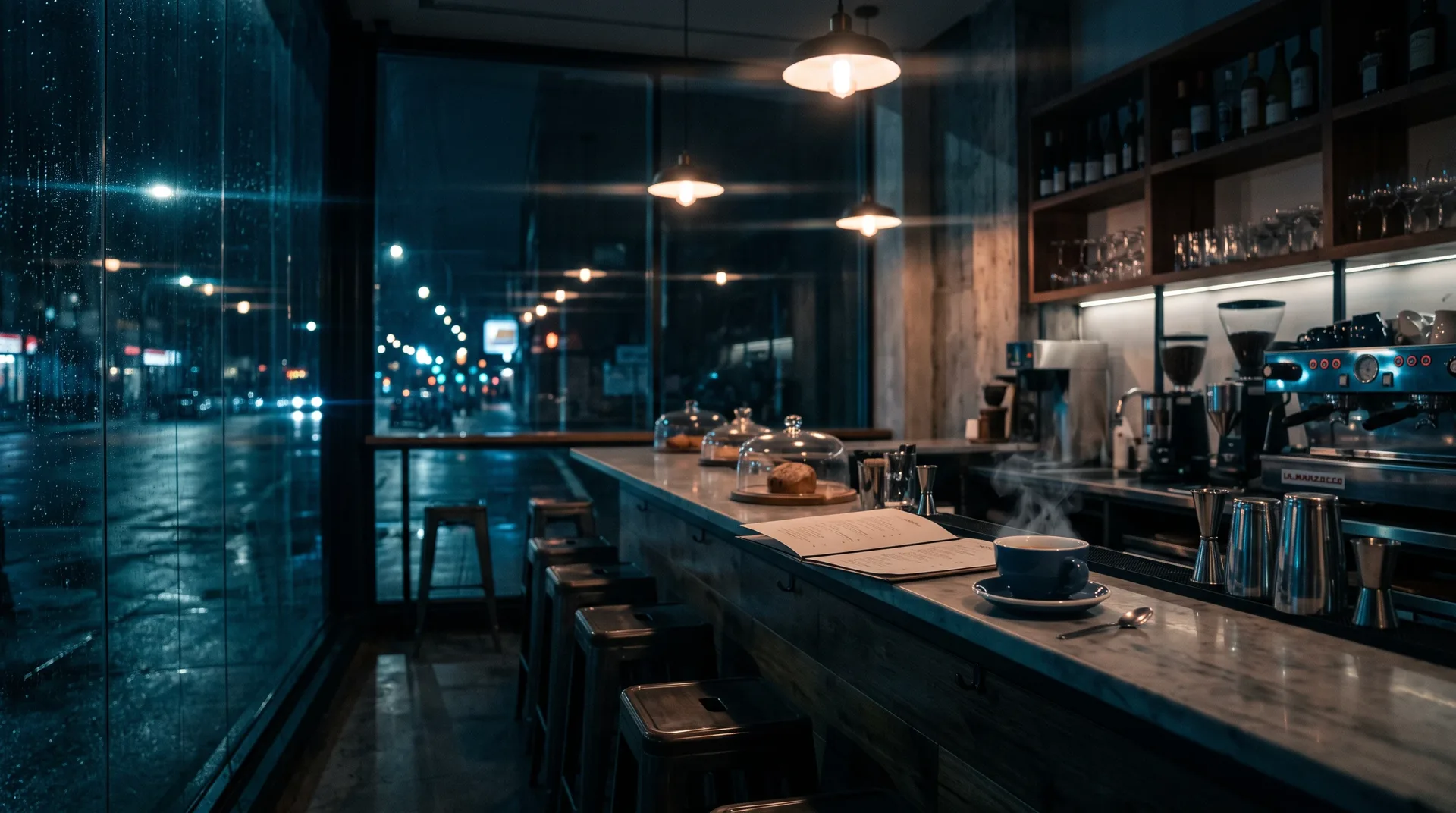
Prompt: restyle this café counter as a rain-lit cinematic scene at night
Restyle an image
One image, five looks, the same composition.
Tap a look. The house and coin stay where they are, and only the style changes.
PromptA small paper house and a coin on a desk, slow camera move, soft daylight, same framing, layered cutout depth, warm desk lamp, soft shadows, film grade
Pick a transformation and make it yours.


From still to scene
Four steps from an image to a video shot.
Start with one still. Frameo restyles it, then carries it into a scene for your script.
Upload your image
Drop in a photo, sketch or storyboard frame. It becomes the reference for everything that follows.
Describe the change
Write the new look in a line. Name the style, the light and the mood you want.
Choose how closely to follow
Hold the original layout tight or give Frameo room to reinterpret it. Pick the aspect ratio here too.
Animate it into a shot
Send the new image on as the first frame of a shot, then generate and export it for your script.
Image to image AI generator questions
Frameo's image to image AI generator is a restyling tool: it keeps your picture's layout and changes its look. You set how closely it follows the original, and if a face drifts, raise that setting and generate again.
Standard photo formats such as JPG and PNG work. The composer flags a file it cannot take before you start.
Yes. Send it on as the first frame of a shot in the same workspace, then build the scene around your script.
Turn a script into videoYou retain ownership of what you make. The Terms of Use set out the full position.
Your frame, your scene
Upload a frame. Restyle it now.
Describe the new look and Frameo restyles your image, then carries it into a video shot for your script.